

301 vs 302 Redirects: Which Should You Use for SEO?
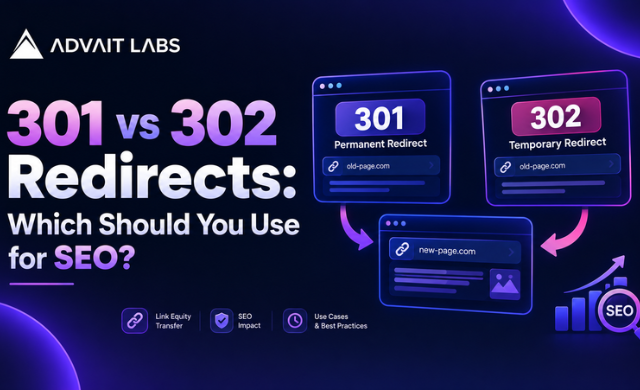
Changing a website URL may seem simple, but the type of redirect you choose can affect how search engines understand the relationship between the old and new URLs. The two redirects most commonly discussed are 301 redirects and 302 redirects.
A 301 redirect generally indicates that a URL has moved permanently, while a 302 redirect indicates that the move is temporary. Choosing the wrong type can create unnecessary confusion around indexing vs crawling, duplicate URLs, and site structure.
In this guide, Advait Labs explains the difference between 301 vs 302 redirects, when each should be used, and how to check redirects as part of a technical SEO process.
Planning a website migration or URL change? Review your existing redirects and identify pages that may need a permanent or temporary redirect before making structural changes.
What Is a 301 Redirect?
A 301 redirect is a permanent redirect from one URL to another.
For example:
Old URL:
example.com/old-page
New URL:
example.com/new-page
A 301 redirect tells browsers and search engines that the old URL has been permanently replaced by the new URL.
This makes a 301 redirect appropriate when a page has permanently moved and the old URL should no longer be the primary destination.
When should you use a 301 redirect?
A 301 redirect can be used when:
- A page URL has permanently changed
- A website is moving to a new URL structure
- Two similar URLs are being consolidated
- A website migration changes URLs
- A product, service, or category page has been permanently replaced
- HTTP URLs are permanently redirected to HTTPS
- An old page has been replaced with a relevant new page
- A domain is permanently moving to another domain
The important point is intent. If the change is permanent, a permanent redirect is generally the appropriate choice.
What Is a 302 Redirect?
A 302 redirect is generally used when a URL change is temporary.
For example, a website may temporarily send visitors from:
example.com/product
to:
example.com/special-offer
The original URL may still be intended for future use.
A 302 redirect communicates that the destination is temporary rather than a permanent replacement.
When should you use a 302 redirect?
A 302 redirect may be appropriate when:
- A page is temporarily unavailable
- A short-term campaign requires a temporary destination
- A website is testing a temporary URL arrangement
- A page is undergoing temporary changes
- Visitors need to be temporarily directed elsewhere
- The original URL is expected to become active again
The key question is simple: Is the URL change permanent or temporary?
If the answer is permanent, consider a 301. If the answer is temporary, a 302 may be more appropriate.
301 vs 302 Redirects: What Is the Difference?
The main difference between 301 and 302 redirects is the meaning communicated about the URL change.
| Factor | 301 Redirect | 302 Redirect |
| Meaning | Permanent move | Temporary move |
| Typical use | Permanent URL change | Temporary URL change |
| Original URL | Replaced by new URL | Intended to remain available later |
| SEO use case | Site migrations and permanent changes | Temporary tests and short-term changes |
| URL structure changes | Suitable | Usually not the first choice |
| Long-term migration | Suitable | Usually inappropriate |
The distinction is not simply about choosing the redirect that appears to be better for SEO. The redirect should accurately represent what is happening to the URL.
Does a 301 Redirect Affect SEO?
A 301 redirect is an important technical SEO tool because it establishes a relationship between an old URL and its permanent replacement.
When implementing a permanent URL change, a properly configured 301 redirect can help search engines understand that the destination URL is the intended replacement.
However, a redirect is not a substitute for a complete technical SEO review.
You should also check:
- Internal links
- Canonical tags
- XML sitemap URLs
- Indexing status
- Crawlability
- Redirect chains
- Redirect loops
- Page relevance
- Broken links
- Duplicate URLs
A redirect should lead users and crawlers to the most appropriate destination rather than simply pointing every old URL to the homepage.
Can 302 Redirects Be Used for SEO?
Yes, but their purpose is different.
A 302 redirect is designed for a temporary change. Using one for a genuinely permanent migration can create an incorrect signal about the relationship between the old and new URLs.
For example, if you permanently rename a service page but continue using a 302 redirect for an extended period, the redirect does not accurately describe the intended permanent relationship.
This is why understanding the purpose of the redirect is more important than choosing a redirect based only on the word “SEO.”
301 vs 302 Redirects During a Website Migration
Website migrations are one of the situations where redirect planning becomes particularly important.
Suppose a website changes its URL structure from:
example.com/services/seo-services
to:
example.com/seo-services
The old URL should normally redirect to its relevant new equivalent if the page has been permanently moved.
A simple migration process
1. Create a list of old URLs
Identify important URLs from the existing website.
Include:
- Service pages
- Product pages
- Blog posts
- Category pages
- High-value landing pages
- URLs receiving internal links
2. Map old URLs to new URLs
Create a clear old-to-new URL mapping.
Avoid sending unrelated pages to a generic destination simply because it is convenient.
3. Implement the correct redirect
Use a 301 when the URL has permanently moved.
Use a 302 when the change is genuinely temporary.
4. Update internal links
After implementing redirects, update internal links so they point directly to the new URLs where possible.
This reduces unnecessary redirect steps for users and crawlers.
5. Update the XML sitemap
After a permanent migration, the XML sitemap should reflect the current URLs rather than continuing to list URLs that now redirect.
6. Check indexing
Use Google Search Console and the URL Inspection Tool to review important URLs and understand their current indexing status.
Redirect Chains and Redirect Loops
Not every redirect problem comes from choosing between 301 and 302.
What is a redirect chain?
A redirect chain occurs when one URL redirects to another URL, which then redirects to another URL.
For example:
URL A → URL B → URL C
A cleaner setup is generally:
URL A → URL C
Long redirect paths can make site maintenance more complicated and introduce unnecessary crawl steps.
What is a redirect loop?
A redirect loop occurs when URLs continuously redirect between each other.
For example:
URL A → URL B → URL A
The browser cannot reach the intended page because the redirect instructions never reach a final destination.
Redirect loops should be identified and corrected during technical SEO audits.
301 Redirects, Canonical Tags and Noindex Are Not the Same
These three technical SEO elements are sometimes confused.
301 redirect
A 301 sends users and crawlers from one URL to another.
Purpose: Permanently move a URL.
Canonical tag
A canonical tag identifies the preferred version among URLs that may contain similar or duplicate content.
Purpose: Indicate the preferred URL.
Noindex tag
A noindex directive tells search engines not to include a page in their index.
Purpose: Control whether a page should be indexed.
These tools solve different problems. A noindex tag should not automatically be used as a replacement for a 301 redirect when a page has permanently moved.
CTA: If your website has accumulated old URLs, duplicate pages, or redirect chains, a technical SEO review can help organize the URL structure and identify issues that need attention.
How Google Search Console Can Help Check Redirects
Google Search Console can be useful when reviewing URL changes and indexing behavior.
The URL Inspection Tool can help you examine individual URLs and understand how Google processes them.
When checking a redirected page, review:
- Whether the URL redirects correctly
- The destination URL
- Indexing information for the destination
- Canonical information
- Whether the new URL is accessible
- Whether important pages are discoverable
Search Console should be used alongside website-level crawling and technical checks rather than as the only source of redirect validation.
Common Redirect Mistakes to Avoid
Using 302 for a permanent URL change
If a page has permanently moved, using a temporary redirect may not accurately communicate the intended change.
Redirecting every old page to the homepage
The destination should be relevant to the original URL whenever a suitable replacement exists.
Creating redirect chains
Avoid sending users through several redirects when a direct destination is available.
Creating redirect loops
Always test the redirect path and confirm that it reaches a final URL.
Forgetting internal links
A website may continue linking to old URLs even after redirects have been implemented.
Leaving old URLs in the XML sitemap
After a permanent migration, review the sitemap and replace outdated URLs with the current ones.
Ignoring duplicate URLs
Multiple accessible URLs containing similar content can complicate URL management. Review redirects, canonical tags, and internal linking together.
Treating plagiarism checks as redirect checks
Plagiarism checks and redirect validation address different issues. A plagiarism check can review content originality, but it cannot determine whether a redirect is technically configured correctly.
How to Choose Between a 301 and 302 Redirect
Use this simple decision process:
Has the URL permanently moved?
Yes → 301 redirect
No, the change is temporary → 302 redirect
Are you permanently restructuring the website?
Yes → Review the URL mapping and use appropriate permanent redirects.
Are you temporarily sending users somewhere else?
Yes → A 302 may be appropriate.
Are you unsure about the purpose of the redirect?
First determine whether the original URL is expected to return. The answer usually clarifies which redirect type is appropriate.
Final Takeaway
The difference between 301 vs 302 redirects comes down to the intended duration of the URL change.
A 301 is generally used for a permanent move, while a 302 is intended for a temporary change. The correct choice should reflect the actual situation rather than being made solely for perceived SEO benefits.
For a complete technical SEO process, review redirects alongside crawlability, indexing, canonical tags, internal links, XML sitemaps, duplicate URLs, and other technical issues.
For businesses managing website migrations or ongoing SEO improvements, Advait Labs can help structure these technical SEO checks around the website’s current URL architecture.
Frequently Asked Questions About 301 vs 302 Redirects
What is the difference between a 301 and 302 redirect?
A 301 redirect indicates that a URL has permanently moved to another URL. A 302 redirect generally indicates that the change is temporary. The correct redirect depends on whether the original URL is expected to return.
When should I use a 301 redirect?
Use a 301 redirect when a page or URL has permanently moved, such as during a website migration, URL restructuring, or permanent page replacement.
When should I use a 302 redirect?
A 302 redirect is generally appropriate when the URL change is temporary and the original URL is expected to become active again.
Is a 301 redirect better than a 302 redirect for SEO?
Neither redirect is universally better. They serve different purposes. A 301 is intended for permanent changes, while a 302 is intended for temporary changes.
Can a 302 redirect become a 301 redirect later?
Yes. If a temporary URL change becomes permanent, the redirect configuration can be changed to reflect the new permanent URL relationship.
Do redirects affect website indexing?
Redirects can influence how search engines discover and process URLs. After implementing important redirects, review the destination URL’s indexing status and accessibility.
How can I check a redirect in Google Search Console?
You can use the URL Inspection Tool to examine individual URLs and review information about indexing, canonicalization, and how the URL is being processed.
What is a redirect chain in SEO?
A redirect chain occurs when one URL redirects to another URL that then redirects again. For example, URL A redirects to URL B, and URL B redirects to URL C. Directing URL A to its final destination can simplify the redirect structure.
