

Website Migration SEO Checklist: How to Protect Your URLs
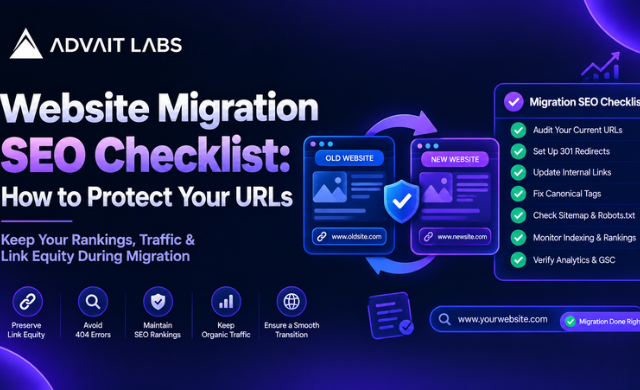
A website migration can involve changing your domain, URL structure, CMS, hosting environment, page templates, or site architecture. While the visible website may look better after the migration, changes behind the scenes can create SEO problems if URLs, redirects, indexing settings, and internal links are not handled carefully.
A website migration SEO checklist helps you review these elements before, during, and after the move. The goal is simple: keep important URLs accessible, make the new website easy for search engines to crawl, and identify technical issues before they become difficult to trace.
For businesses planning a website migration, Advait Labs recommends treating SEO as part of the migration process rather than something to check after the new website goes live.
Planning a website migration in Hyderabad? Connect with Advait Labs to review your website structure, URLs, redirects, and technical SEO requirements before the migration begins.
Why SEO Matters During a Website Migration
Website migration is not only a design or development task. A change to the website can also change the way pages are accessed, linked, crawled, and indexed.
For example, a page currently available at:
example.com/services/digital-marketing
could move to:
example.com/digital-marketing-services
If the old URL is removed without an appropriate redirect, users and search engines may encounter a broken page.
Other problems can occur when:
- Existing URLs are changed unnecessarily
- Redirects are missing or incorrectly configured
- Internal links still point to old URLs
- Important pages contain noindex directives
- The XML sitemap contains outdated URLs
- Canonical tags point to incorrect pages
- Robots.txt blocks important sections
- Staging settings are carried over to the live website
- Duplicate URLs are created
- Important pages are not included in the new website structure
A migration checklist makes these areas easier to review systematically.
Website Migration SEO Checklist: Before the Migration
The best time to solve migration-related SEO issues is before the new website goes live.
1. Create a Complete URL Inventory
Start by creating a list of the website’s important existing URLs.
Include:
- Main website pages
- Service pages
- Product pages
- Blog posts
- Landing pages
- Category pages
- Important resource pages
- High-value pages receiving internal links
- URLs currently appearing in the XML sitemap
The URL inventory becomes the reference point for comparing the old and new websites.
2. Identify URLs That Will Change
Not every URL needs to change during a migration.
If an existing URL structure is working well, keeping it unchanged can simplify the migration. If URLs must change because of a new site structure or CMS, create a clear mapping between the old and new URLs.
For example:
| Old URL | New URL | Action |
| /seo-services | /seo-services | Keep URL |
| /web-design | /website-design | Redirect |
| /blog/seo-guide | /blog/seo-guide | Keep URL |
| /services/digital | /digital-marketing | Redirect |
This URL mapping document should be prepared before development is completed.
3. Check Existing 404 URLs
Review existing 404 pages and identify URLs that may still receive visits or internal links.
Do not automatically redirect every old URL to the homepage. A redirect should point users towards the most relevant available destination.
4. Review Canonical Tags
Check canonical tags on the existing website and determine how they should work on the new website.
A canonical tag should not accidentally point important pages towards unrelated URLs, old URLs, staging pages, or duplicate versions of the website.
5. Crawl the Existing Website
Run a technical crawl of the current website before migration.
Review:
- Status codes
- Redirects
- Canonical URLs
- Meta robots directives
- Page titles
- Meta descriptions
- Internal links
- Broken links
- Indexable pages
- Sitemap URLs
This creates a baseline that can be compared against the new website.
How to Protect URLs During Website Migration
URLs are one of the most important parts of a migration because they connect users, internal links, search engine discovery, and existing website structure.
Use 301 Redirects for Permanent URL Changes
When a page permanently moves from one URL to another, a permanent redirect can connect the old URL with its new destination.
For example:
oldsite.com/seo-services
to
newsite.com/seo-services
or, when the domain remains the same:
example.com/old-page
to
example.com/new-page
Create redirects for individual URL changes rather than sending large groups of unrelated URLs to the homepage.
Avoid Redirect Chains
A redirect chain occurs when one URL redirects to another URL that then redirects again.
For example:
URL A → URL B → URL C
Where possible, the old URL should point directly to the final destination:
URL A → URL C
This makes the redirect structure easier to manage and audit.
Update Internal Links
Redirects should not become a permanent substitute for updating internal links.
After migration, review navigation menus, blog links, service pages, footer links, breadcrumbs, and other internal references.
If an internal link still points to an old URL, update it to the final URL.
Technical SEO Checks Before Launch
A staging website should be reviewed carefully before the migration goes live.
Check Crawlability
Make sure important pages can be crawled.
Review:
- Robots.txt rules
- Meta robots directives
- Internal links
- Navigation
- JavaScript-dependent content
- HTTP status codes
A development or staging environment may intentionally block search engines. That setting needs to be reviewed before launch so it does not unintentionally affect the live website.
Check Noindex Tags
Review pages containing noindex.
Some pages may intentionally use noindex, but important pages should not accidentally inherit a noindex directive from the development environment or an old template.
Check Duplicate Content
Compare old and new pages for accidental duplication.
Look for:
- Duplicate page versions
- Multiple URL variations
- HTTP and HTTPS versions
- www and non-www versions
- Trailing-slash variations
- Duplicate category pages
- Parameter-based URLs
The objective is to make the preferred version of each important page clear.
Review the XML Sitemap
After migration, the XML sitemap should contain the appropriate live URLs.
Check that:
- Important URLs are included
- Old URLs are removed where appropriate
- Redirected URLs are not unnecessarily listed
- Broken URLs are not included
- The sitemap is accessible
- The sitemap reflects the new website structure
Google Search Console Checks After Migration
Once the new website is live, Google Search Console can help you review how the site is being processed.
Use the URL Inspection Tool
Inspect important URLs individually.
Check the live URL and review its indexing status and other available information.
Start with:
- Homepage
- Main service pages
- Important landing pages
- Key blog posts
- Newly created pages
- Pages that changed URLs
Monitor Indexing Status
Do not assume every page will be indexed immediately after a migration.
Monitor indexing reports and investigate unexpected changes.
Pay particular attention to:
- Pages that are not indexed
- Pages marked as excluded
- Pages affected by noindex directives
- Redirected URLs
- Server or access issues
- Duplicate URL variations
Review Crawl and Indexing Issues
Compare the new website against the pre-migration baseline.
Look for sudden changes in:
- Indexed pages
- 404 errors
- Redirected pages
- Internal linking
- Sitemap URLs
- Crawlability
- Canonicalisation
The First 24–48 Hours After Migration
The migration checklist should continue after launch.
Check the Most Important URLs
Test important URLs manually and through technical crawling tools.
Confirm that:
- Pages load correctly
- URLs resolve to the intended pages
- Redirects work
- Internal links work
- Images load correctly
- Canonical tags are correct
- Noindex settings are appropriate
- XML sitemap is updated
Check 404 Errors
Collect newly appearing 404 URLs and determine whether each one needs a redirect, restoration, or no action.
Prioritise URLs that are important to the website structure or still referenced internally.
Review Analytics and Search Data
Compare the new website’s data with the pre-migration baseline.
Look for unusual changes in organic landing pages, traffic patterns, conversions, and page accessibility.
The purpose is not to react to every small fluctuation, but to identify technical problems that require investigation.
CTA: Need help reviewing a website migration? Advait Labs can help businesses in Hyderabad organise URL mapping, technical SEO checks, redirects, indexing reviews, and post-migration audits.
Common Website Migration SEO Mistakes
A migration becomes harder to troubleshoot when several changes happen simultaneously.
Common mistakes include:
- Changing URLs without documenting the old URLs
- Launching without redirect mapping
- Redirecting every deleted page to the homepage
- Forgetting internal links
- Leaving staging noindex settings active
- Blocking important pages through robots.txt
- Publishing an outdated XML sitemap
- Forgetting canonical tags
- Creating duplicate URL versions
- Not checking 404 errors after launch
- Failing to compare the old and new websites
- Removing useful pages without reviewing their purpose
A documented migration process makes these issues easier to identify.
Website Migration SEO Checklist: Quick Summary
Before launching a migrated website, review this checklist:
- Crawl the existing website
- Export important URLs
- Identify URLs that will change
- Create an old-to-new URL mapping
- Review existing 404 URLs
- Plan permanent redirects
- Check for redirect chains
- Update internal links
- Review canonical tags
- Check noindex directives
- Review robots.txt
- Check duplicate URLs
- Update the XML sitemap
- Crawl the staging website
- Test important pages
- Check the live website after launch
- Inspect key URLs in Google Search Console
- Monitor indexing status
- Review new 404 errors
- Compare the migrated website against the pre-migration baseline
Final Thoughts
A website migration is easier to manage when URLs and technical SEO are planned before the new website goes live.
The most important step is to understand what is changing. Build a complete URL inventory, map old URLs to their new destinations, configure redirects carefully, update internal links, review indexing controls, and check the new website after launch.
For businesses planning a migration, the website migration SEO checklist should be treated as part of the website launch process, not as a final technical task.
Planning a website migration in Hyderabad? Advait Labs can help you review your website’s URL structure, redirects, crawlability, indexing, and technical SEO requirements before and after migration. Get in touch to plan your migration with a structured SEO checklist.
Frequently Asked Questions About Website Migration SEO
What is a website migration SEO checklist?
A website migration SEO checklist is a structured list of technical and content checks used before, during, and after a website migration. It covers URLs, redirects, internal links, crawlability, indexing, canonical tags, XML sitemaps, and other technical SEO elements.
How do I migrate a website without losing SEO?
Start by documenting existing URLs and identifying which URLs will change. Create an old-to-new URL mapping, configure appropriate permanent redirects, update internal links, check indexing settings, and monitor the new website after launch.
Should I change URLs during a website migration?
A URL does not need to change simply because a website is being migrated. If URLs can remain stable, keeping them can reduce the number of URL changes that need to be managed. When URLs must change, document each change and map the old URL to the appropriate new destination.
What is a 301 redirect in website migration?
A 301 redirect is used to permanently direct one URL to another URL. During a migration, it can connect an old URL with its new destination when the page address has changed.
How do I check website indexing after migration?
Use Google Search Console to review indexing information and inspect important URLs with the URL Inspection Tool. Also review the XML sitemap, crawlability settings, noindex directives, and technical crawl data.
Should redirected URLs be included in an XML sitemap?
The XML sitemap should generally represent the preferred live URLs of the website. Redirected URLs should be reviewed and replaced with their appropriate final URLs where applicable.
How do I find 404 errors after a website migration?
Review the website through a technical crawl and check available reports in Google Search Console. Compare the new URL set against the old URL inventory to identify missing or incorrectly redirected pages.
What happens if a website migration changes all the URLs?
Changing many URLs at once increases the number of redirects, internal links, sitemap entries, canonical tags, and indexing settings that need to be reviewed. A detailed URL mapping document should therefore be prepared before launch.
