

Google Search Console Guide: How to Improve SEO in 2026
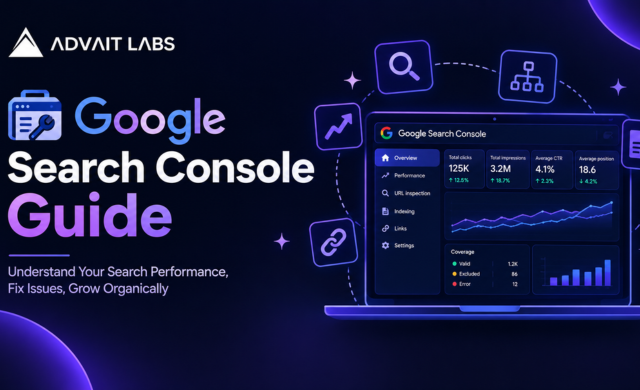
Google Search Console is one of the most useful free tools for understanding how a website appears in Google Search. It shows search queries, clicks, impressions, indexing information, and technical issues that may affect a site’s visibility.
Search Console does not improve rankings by itself. Its value comes from turning the data into practical SEO decisions. This Google Search Console guide explains how to use the platform in 2026, including URL inspection, indexing, crawlability, XML sitemaps, duplicate content, and performance analysis.
For businesses in Hyderabad, Advait Labs can help turn Search Console findings into a focused SEO action plan.
Looking for professional SEO support in Hyderabad? Talk to Advait Labs about technical SEO, Search Console analysis, and organic growth.
What Is Google Search Console?
Google Search Console is a free Google service that helps website owners monitor, maintain, and troubleshoot their presence in Google Search.
It can be used to review:
- Search queries, clicks, impressions, CTR, and average position
- Indexed and non-indexed URLs
- URL inspection and indexing requests
- XML sitemap submissions
- Core Web Vitals and other available reports
- Security and manual-action notifications
- Crawl and indexing issues
Search Console is different from Google Analytics. Search Console focuses on Google Search visibility and performance, while Analytics provides broader information about website visitors.
How Google Search Works With Search Console
Google generally moves through three stages: crawling, indexing, and serving search results.
Crawling
Google discovers URLs through links, sitemaps, and other signals, then crawls accessible pages.
Indexing
Google processes a crawled page and may add it to its search index. A page can be crawled without being indexed.
Search Results
Google selects relevant indexed pages for a query and orders them using many signals.
Search Console helps you investigate these stages, but it does not guarantee crawling, indexing, or rankings.
7 Ways to Use Google Search Console for SEO
1. Find Keywords Already Bringing Visibility
The Performance report shows queries associated with your website and the pages appearing for them.
Look beyond your highest-click keywords. High-impression queries with relatively low CTR can reveal opportunities to improve page titles, descriptions, content, or search-intent alignment.
Review performance by query, page, country, device, and search appearance. Do not use average position as your only SEO KPI because search intent, competition, and SERP features can influence clicks.
2. Use the URL Inspection Tool
The URL Inspection Tool helps you examine a specific URL from Google’s perspective.
Use it when:
- A new page is not appearing in Google
- Important content has changed
- A canonical tag was updated
- You fixed an indexing problem
- You want to check a page’s indexing status
After fixing an issue, you can request indexing when appropriate. A request does not guarantee immediate indexing.
3. Review the Page Indexing Report
The Page indexing report shows which URLs Google has indexed and which it has excluded.
Common reasons include:
- Crawled but currently not indexed
- Discovered but currently not indexed
- Blocked by robots.txt
- Excluded by a noindex directive
- Duplicate page
- Redirected URL
- Server or access error
Not every exclusion is an error. A utility page, for example, may be intentionally excluded. Investigate the reason before making changes.
4. Submit and Monitor an XML Sitemap
An XML sitemap helps search engines discover important URLs. It is especially useful for larger, newer, or frequently updated websites.
Submit the sitemap through the Sitemaps section in Search Console. A common location is /sitemap.xml.
A sitemap is a discovery signal, not a command to index every URL. It should normally contain canonical, indexable pages that you want Google to discover.
5. Check Crawlability and Technical SEO
Crawlability means search engine crawlers can access the pages and resources needed to discover and understand your site.
Look for:
- Broken internal links
- Server errors
- Incorrect robots.txt rules
- Redirect problems
- Poor internal linking
- Incorrect canonical tags
Robots.txt and noindex are different. Robots.txt can restrict crawling, while noindex is an indexing directive that tells search engines not to include a page in results when the page can be crawled and the directive is processed.
6. Investigate Duplicate Content
Duplicate or substantially similar URLs can make it harder for search engines to determine which version should represent a page.
Common examples include:
- HTTP and HTTPS versions
- URL parameter variations
- Duplicate service or product pages
- Multiple URLs with substantially similar content
Depending on the situation, use canonical tags, redirects, consistent internal links, and stronger unique content.
Duplicate content is not automatically a Google penalty. The goal is to help Google understand the preferred URL.
7. Turn Data Into an SEO Action Plan
Search Console becomes more useful when reports lead to specific actions.
A practical monthly workflow is:
- Review clicks, impressions, CTR, and position.
- Identify pages gaining or losing visibility.
- Find high-impression, low-CTR queries.
- Inspect important pages with indexing concerns.
- Review sitemap and technical issues.
- Compare performance with previous periods.
- Prioritize fixes by business value.
For example, if a valuable service page already receives impressions but has a weak CTR, improving its search-result presentation may be more useful than creating another page targeting the same keyword.
Have Search Console data but are unsure what to fix first? Contact Advait Labs for a practical SEO and technical review.
Can Search Console Check Plagiarism?
No. Google Search Console is not a plagiarism detection tool.
If copied content is a concern, use a separate plagiarism or content-comparison tool. Search Console can help with indexing and canonicalization issues, but it does not provide a plagiarism score.
The stronger SEO approach is to publish original content that answers the user’s question clearly and adds useful information instead of simply reproducing existing pages.
Common Google Search Console Mistakes
Requesting indexing for every URL
Indexing requests should not replace fixing technical or content problems.
Treating every excluded page as an error
Some exclusions are intentional. Check the reason first.
Confusing robots.txt with noindex
These controls solve different problems. Choose the method based on whether you want Google to crawl and/or index the page.
Creating pages for every keyword variation
Too many similar pages can create duplication and weak topical coverage. Build pages around genuine user needs.
Focusing only on rankings
SEO should also consider search visibility, qualified organic traffic, technical health, content quality, and conversions.
How Advait Labs Can Help
For businesses in Hyderabad, Search Console can provide strong evidence about what is working and what needs attention. The challenge is interpreting the data and prioritising the right fixes.
Advait Labs supports SEO work including technical audits, Search Console and indexing checks, on-page optimization, metadata improvements, internal-link reviews, and organic growth strategy.
Looking for professional SEO support in Hyderabad? Advait Labs can help audit Search Console data, address technical SEO issues, improve indexing, and build a practical organic growth strategy.
Contact Advait Labs to get started.
Google Search Console Checklist
- Verify the correct domain property
- Submit and monitor the XML sitemap
- Review the Page indexing report
- Inspect important URLs
- Check accidental noindex directives
- Review robots.txt rules
- Investigate server and redirect issues
- Check canonical URLs
- Review internal links
- Find high-impression, low-CTR queries
- Compare organic performance over time
- Recheck important URLs after major fixes
FAQs
What is Google Search Console used for?
It helps website owners monitor Google Search performance, inspect URLs, understand indexing, submit sitemaps, and troubleshoot technical issues.
How do I use Google Search Console to improve SEO?
Review performance data to find valuable queries and pages, then use indexing and URL inspection reports to identify problems and opportunities.
How do I check if a page is indexed by Google?
Enter the URL into the URL Inspection Tool. Search Console provides available indexing status and URL information.
Why is my page not indexed?
Possible reasons include a noindex directive, crawling restrictions, duplication, redirects, access problems, or the page being new or not currently selected for indexing.
Does Google Search Console improve rankings?
No. It provides data and diagnostics. Rankings may improve when you use that information to make effective content, technical, and site-structure improvements.
Can Search Console detect plagiarism?
No. It is not a plagiarism checker. Use a separate content-comparison tool if you need to check for copied text.
How often should I check Search Console?
A weekly check of important reports and a deeper monthly review is practical for many actively managed websites. The ideal frequency depends on site size and publishing activity.
