

Website Prototyping: Why It Matters Before Web Development
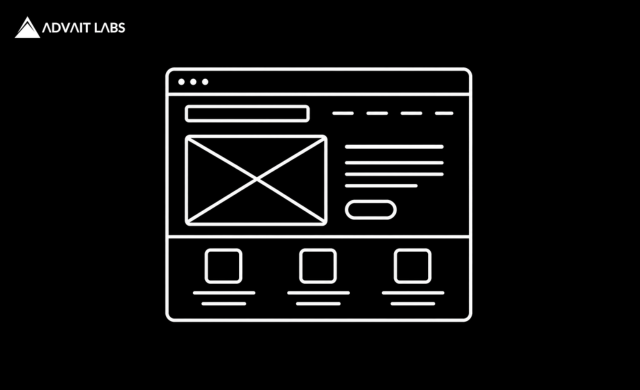
Building a website involves much more than writing code and adding images. Before development begins, businesses need to understand how the website will look, how users will navigate it, where important information should appear, and what actions visitors should take.
This is where Website Prototyping becomes valuable.
A website prototype provides a visual representation of a website’s structure and user experience before the final website is developed. It allows designers, developers, marketers, and business stakeholders to identify problems early, test ideas, and make changes before those decisions become expensive to implement.
Skipping prototyping may appear to save time at the beginning of a project. In reality, unclear requirements and design changes discovered during development can result in additional development work, delays, and higher costs.
At Advait Technology Labs, we provide website design and development services, creating fast, SEO-friendly, and mobile-optimized websites designed for user engagement and business growth. Website prototyping is an important part of creating a website that aligns design, functionality, content, and business objectives.
What Is Website Prototyping?
Quick Answer
Website Prototyping is the process of creating a visual or interactive representation of a website before the final website is developed.
A prototype can demonstrate:
- Page structure
- Navigation
- Content placement
- User flows
- Buttons
- Forms
- Calls to action
- Interactive elements
- Mobile layouts
Depending on the project, a prototype can range from a simple wireframe to a highly interactive representation of the final website experience.
Why Is Website Prototyping Important?
Website Prototyping helps teams make important decisions before development begins.
Without a prototype, developers may start building based on incomplete assumptions.
Later, stakeholders may realize:
- The navigation isn’t intuitive.
- Important information is difficult to find.
- The homepage doesn’t communicate the value proposition clearly.
- The contact form appears too late.
- Mobile layouts don’t work well.
- The conversion journey is unnecessarily complicated.
Fixing these problems after development can require redesigning existing components and rewriting code.
A prototype provides an opportunity to identify these issues earlier.
What Happens When You Skip Website Prototyping?
Skipping the prototyping stage doesn’t necessarily mean a project will fail. However, it increases the likelihood of discovering design and usability problems later.
Here are some of the most common consequences.
More Expensive Changes
A design change is generally easier to make in a prototype than after developers have already built the functionality.
Changing a button location in a prototype may take minutes. Changing the same element after development could require:
- Front-end changes
- Responsive adjustments
- Testing
- Quality assurance
- Regression testing
The later a major change is discovered, the more work it can create.
Development Delays
Unclear website requirements can create repeated discussions between:
- Business owners
- Designers
- Developers
- Content teams
- SEO specialists
A prototype gives everyone a visual reference.
This can reduce ambiguity and help teams move toward development with a clearer understanding of the expected website experience.
Poor User Experience
A website can look attractive while still being difficult to use.
Users may struggle with:
- Navigation
- Finding information
- Completing forms
- Understanding services
- Finding contact details
- Moving between pages
Prototyping allows teams to think through the user’s journey before development.
Weak Conversion Paths
A business website should have a clear purpose.
Depending on the business, the goal may be to:
- Generate leads
- Sell products
- Receive enquiries
- Schedule appointments
- Encourage calls
- Collect registrations
- Download resources
A prototype can help visualize the path from landing on the website to completing the desired action.
Mobile Problems
A website may look good on a desktop but perform poorly on mobile devices.
Because mobile users have limited screen space, teams need to consider:
- Navigation
- Button placement
- Text hierarchy
- Form length
- Image sizes
- Content order
- Touch interactions
Mobile layouts can be represented during the prototyping stage rather than discovered after development.
Website Prototype vs Wireframe vs Mockup
These terms are often used interchangeably, but they are not identical.
Wireframe
A wireframe primarily focuses on structure and layout.
It may show:
- Header
- Navigation
- Content blocks
- Images
- Buttons
- Forms
It generally contains limited visual styling.
Mockup
A mockup provides a more detailed visual representation.
It can include:
- Colors
- Typography
- Images
- Branding
- UI elements
Prototype
A prototype can add interaction and user flows to the visual design.
Users may be able to click between screens and experience how the website is expected to work.
A typical design process may therefore look like:
Wireframe → Mockup → Prototype → Development
However, the exact process varies depending on project complexity and team workflow.
Types of Website Prototypes
Low-Fidelity Prototype
A low-fidelity prototype is simple and focuses primarily on structure.
It is useful during the early planning stage.
It can answer questions such as:
- Where should the navigation go?
- What should appear above the fold?
- Where should the CTA appear?
- How should content be organized?
High-Fidelity Prototype
A high-fidelity prototype resembles the intended final website much more closely.
It may include:
- Final-style typography
- Colors
- Images
- Buttons
- Forms
- Interactive elements
- Detailed page layouts
This allows stakeholders to review the experience before development.
Interactive Prototype
An interactive prototype allows users or stakeholders to click through different pages and actions.
For example:
Homepage → Service Page → Contact Form → Confirmation
This helps teams understand whether the user journey feels logical.
What Should a Website Prototype Include?
The exact contents depend on the website, but a useful prototype can include:
Homepage
- Hero section
- Value proposition
- Primary CTA
- Services
- Trust signals
- Testimonials
- Contact section
Service Pages
- Service introduction
- Benefits
- Features
- Supporting information
- FAQs
- CTA
Navigation
- Main menu
- Dropdowns
- Footer navigation
- Breadcrumbs where appropriate
Conversion Elements
- Contact forms
- Phone buttons
- Enquiry CTAs
- Appointment forms
- Product purchase actions
Mobile Experience
- Mobile navigation
- Content stacking
- Touch-friendly controls
- Responsive layouts
How Website Prototyping Reduces Costs
One of the biggest advantages of prototyping is early problem detection.
Consider a simple example.
Without a Prototype
Idea → Development → Review → Major Changes → Development Again → Testing
With a Prototype
Idea → Prototype → Review → Changes → Development → Testing
The second workflow can reduce unnecessary development iterations because major design decisions are reviewed earlier.
The goal isn’t to eliminate all changes. The goal is to move expensive changes toward the earlier stages of the project.
Website Prototyping Improves Team Collaboration
A website project may involve several stakeholders.
For example:
- Business owner
- Project manager
- UI/UX designer
- Developer
- SEO specialist
- Content writer
- Marketing team
Each person may interpret a written requirement differently.
A prototype creates a shared visual reference.
Instead of saying:
“The services should be easier to find.”
the team can identify exactly where the services should appear.
This makes discussions more specific and actionable.
Website Prototyping and SEO
Prototyping isn’t an SEO activity by itself, but it can support better SEO implementation.
SEO considerations can be incorporated into website planning before development.
Information Architecture
Plan relationships between:
- Main categories
- Services
- Products
- Blog content
- Supporting pages
Internal Linking
Determine where important pages should be connected.
Content Hierarchy
Plan:
- Page titles
- Headings
- Supporting sections
- FAQs
User Experience
Consider navigation and accessibility before the website is built.
Mobile Experience
Plan responsive layouts from the beginning.
This can reduce the risk of redesigning important elements later.
Website Prototyping and AEO
Answer Engine Optimization (AEO) focuses on making content useful and accessible for systems that provide direct answers to user questions.
Website structure can support AEO by planning:
- Clear headings
- Question-based sections
- Concise answers
- FAQs
- Structured content
- Logical information hierarchy
For example, a service page could include:
What is technical SEO?
Who needs technical SEO?
What does a technical SEO audit include?
A prototype can help determine where these information blocks should appear within the page.
Website Prototyping and GEO
Generative Engine Optimization (GEO) focuses on improving how a brand and its content can be understood and surfaced within AI-powered search experiences.
While a prototype cannot guarantee visibility in generative search, planning a clear website structure can contribute to better content organization.
A well-planned website can make it easier to establish relationships between:
Brand → Services → Topics → Supporting Content → Expertise
GEO should therefore be considered alongside content quality, technical SEO, structured information, authority, and overall website experience.
Website Prototyping for Conversion-Focused Websites
A business website should not simply look good.
It should guide users toward meaningful actions.
During prototyping, teams can test questions such as:
- Is the primary CTA visible?
- Is the value proposition clear?
- Can visitors understand the service quickly?
- Is the enquiry process simple?
- Are trust signals positioned appropriately?
- Is the navigation intuitive?
- Does the mobile experience remain easy to use?
These questions can help create a website designed around both user needs and business objectives.
When Should You Create a Website Prototype?
Prototyping is particularly useful for:
- New business websites
- Website redesigns
- Ecommerce websites
- SaaS websites
- Large corporate websites
- Service websites
- Landing pages
- Complex web applications
- Multi-location websites
The more complex the website, the more valuable early planning can become.
How Much Detail Should a Prototype Have?
Not every project requires a highly detailed prototype.
A small five-page website may only need basic wireframes and key-page prototypes.
A large ecommerce website may require detailed prototypes for:
- Homepage
- Category pages
- Product pages
- Search
- Filters
- Cart
- Checkout
- Account pages
The level of detail should match the project’s complexity and risk.
A Practical Website Prototyping Process
Step 1: Define Business Goals
Determine what the website needs to accomplish.
Examples:
- Generate leads
- Increase sales
- Build brand awareness
- Provide information
- Support customers
Step 2: Understand the Audience
Identify:
- Target users
- Their needs
- Their questions
- Their pain points
- Their expected actions
Step 3: Plan the Sitemap
Determine the main pages and how they relate to each other.
For example:
Home
↓
Services
↓
SEO Services
↓
Technical SEO
Step 4: Create Wireframes
Establish the basic structure of important pages.
Step 5: Design the Interface
Add branding, typography, visual elements, and detailed components.
Step 6: Create the Prototype
Connect pages and interactions where needed.
Step 7: Review and Test
Get feedback from relevant stakeholders and, when appropriate, target users.
Step 8: Move Into Development
Once the major design and user-flow decisions are validated, development can begin with clearer requirements.
Common Website Prototyping Mistakes
Designing Without User Goals
A prototype should solve user and business problems rather than simply display attractive visuals.
Ignoring Mobile
Mobile layouts should be considered from the beginning.
Making the Prototype Too Detailed Too Early
Early prototypes should focus on solving structural problems before spending significant time on visual details.
Forgetting SEO
Information architecture, page hierarchy, URLs, internal linking, and content structure should be considered before development.
Not Testing User Flows
A beautiful interface can still have confusing navigation.
Skipping Stakeholder Review
Getting feedback early is much easier than receiving major change requests after development.
Why Website Prototyping Is an Investment, Not an Extra Step
It’s tempting to view prototyping as another stage that increases project time.
But its real purpose is to reduce uncertainty before expensive work begins.
A few hours spent identifying a navigation problem during prototyping can prevent days of development and redesign later.
The value comes from moving decision-making earlier in the project lifecycle.
Why Choose Advait Technology Labs for Website Design and Development?
At Advait Technology Labs, we understand that website development isn’t only about creating attractive pages.
Our website design and development services focus on building:
- Fast websites
- SEO-friendly websites
- Mobile-optimized websites
- User-focused interfaces
- Conversion-oriented layouts
- Scalable website structures
We can incorporate website planning, prototyping, UI/UX considerations, SEO requirements, content structure, and performance considerations into the development process.
Our broader digital marketing capabilities also allow website development to work alongside:
- SEO
- AEO
- GEO
- Content marketing
- Google Ads
- Analytics
- Conversion optimization
This creates a more connected approach to website growth.
Final Thoughts
Website Prototyping is more than creating a visual preview of a website. It is a planning and validation step that helps businesses identify usability problems, clarify requirements, improve user journeys, and reduce expensive changes during development.
Skipping prototyping may seem faster initially, but unclear requirements can result in redesigns, development delays, poor user experience, and additional costs.
By planning the website structure and user experience before development begins, businesses can enter the development stage with greater clarity and confidence.
For businesses planning a new website or redesign, prototyping should be considered an investment in the final website—not an unnecessary extra step.
Visit Advait Technology Labs Today!
Frequently Asked Questions
What is Website Prototyping?
Website Prototyping is the process of creating a visual or interactive representation of a website before development. It helps teams plan layouts, navigation, user flows, and functionality.
Why is Website Prototyping important?
Website Prototyping helps identify design and usability issues before development, potentially reducing revisions, delays, and development costs.
Does Website Prototyping help SEO?
Yes. While prototyping isn’t an SEO technique itself, it provides an opportunity to plan website architecture, navigation, content hierarchy, internal linking, and mobile experience before development.
What is the difference between a wireframe and a prototype?
A wireframe primarily shows the structure and layout of a page, while a prototype can demonstrate how users move through pages and interact with website elements.
Does Advait Technology Labs provide website design and development services?
Yes. Advait Technology Labs provides website design and development services, including fast, SEO-friendly, and mobile-optimized websites designed for user engagement and business growth.
