

How to Find and Fix Broken Links on a Website
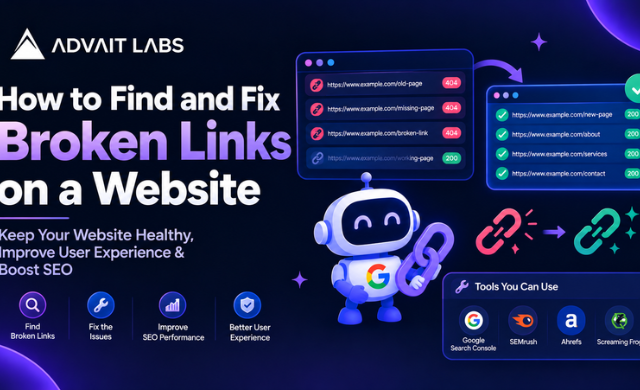
A website can have hundreds or even thousands of links connecting pages, resources and sections. Over time, some of those links may stop working because a page was deleted, a URL was changed, a website was migrated, or an old resource was removed.
Knowing how to find and fix broken links on a website is an important part of routine website maintenance and technical SEO. A broken link can lead visitors to an unavailable page and may also create unnecessary issues during website crawling and navigation.
In this guide, we will explain how broken links work, how to find them, how to decide the right fix, and how to prevent the same problems from returning. Advait Labs can also help businesses in Hyderabad review and address website-level technical SEO issues.
Need help identifying technical issues on your website? Connect with Advait Labs for a website and technical SEO assessment.
What Is a Broken Link?
A broken link is a hyperlink that does not take the user to the intended working page or resource.
For example, imagine a website has a blog containing this link:
example.com/services/seo-audit
If the SEO audit page is later deleted without updating the link, visitors may click the link and reach a 404 Not Found page.
Broken links can occur on:
- Website navigation menus
- Blog posts
- Service pages
- Product pages
- Footer links
- Images
- Buttons
- PDFs and downloadable resources
- Internal search results
- External references
A broken link does not always mean the page returns a 404 status. A destination can also become unavailable because of server errors, incorrect redirects, access restrictions or other technical changes.
Why Do Broken Links Happen?
Broken links are usually the result of changes made to a website over time.
Common causes of broken links
1. A page has been deleted
A page may be removed because its content is outdated or no longer required. Links pointing to that page can remain elsewhere on the website.
2. A URL has changed
Changing a URL without updating existing internal links can leave old links pointing to the previous address.
For example:
/seo-services
may become:
/technical-seo-services
Any page still linking to the old URL needs to be reviewed.
3. Website migration
During a redesign or migration, URLs, folders and page structures may change. If the old and new URL structures are not mapped properly, broken links can appear.
4. Typing errors
A small spelling mistake in a URL can create a broken destination.
5. External pages are removed
An external website that you previously linked to may remove or move its page. The link on your website may then stop working.
6. Incorrect redirects
A redirect may point to an incorrect URL, another broken page or an unsuitable destination.
Internal Links vs External Links
Before fixing broken links, it helps to understand the difference between internal and external links.
Internal broken links
Internal links connect pages within the same website.
For example:
yourwebsite.com/blog/seo-guide
linking to:
yourwebsite.com/services/seo
Internal broken links are generally easier to fix because you control both the linking page and the destination.
External broken links
External links point from your website to another domain.
For example, a blog post may link to another website for additional information. If that external page disappears, the link may become unavailable.
Depending on the situation, you can update the link, remove it or replace it with another relevant resource.
How to Find Broken Links on a Website
Finding broken links is the first step. You need to identify the affected URLs before deciding how to fix them.
Use a Website Crawler
A website crawler can scan pages across a website and identify URLs that return different HTTP status codes.
During a crawl, pay particular attention to:
- 404 responses
- 410 responses
- 5xx server errors
- Redirect chains
- Redirect loops
- Incorrect destination URLs
- Broken internal links
- Broken external links
For a large website, crawling is generally more practical than checking every page manually.
Check Google Search Console
Google Search Console can be useful when investigating website indexing and crawling issues.
The Page Indexing report can provide information about URLs that Google has encountered, while the URL Inspection Tool can be used to inspect individual URLs and understand their current indexing status.
However, Search Console should not be treated as a complete broken-link database. A link can be broken for a visitor even when you do not immediately see that specific link listed as an indexing issue.
Use Search Console alongside a website crawl and manual checks.
Check Important Pages Manually
Automated tools are useful, but manual checking still matters.
Review important areas such as:
- Main navigation
- Homepage
- Service pages
- High-traffic blog posts
- Landing pages
- Contact pages
- Footer navigation
- Important conversion pages
Click important links and verify that they lead to the intended destination.
How to Understand HTTP Status Codes
HTTP status codes can help you determine what is happening with a URL.
200: Working page
A 200 response generally indicates that the requested page was successfully delivered.
301: Permanent redirect
A 301 redirect sends users and crawlers from one URL to another destination.
If a page has permanently moved, updating internal links to the final destination can make the site structure cleaner.
302: Temporary redirect
A 302 indicates a temporary redirect. It should be reviewed to make sure it matches the intended website setup.
404: Page not found
A 404 response generally means that the requested resource could not be found.
If a valuable page was accidentally removed, the correct solution may be to restore the page or redirect the old URL to an appropriate replacement.
410: Gone
A 410 response indicates that a resource has been intentionally removed.
The important question is not simply whether a URL returns an error. The real question is why the URL is unavailable and what should happen to it next?
How to Fix Broken Links
Finding a broken URL is only half the process. The correct fix depends on the reason the link is broken.
Replace the link with the correct URL
If the destination page still exists under a different URL, update the link to the correct address.
This is often the simplest solution for internal links.
Restore the missing page
If an important page was removed accidentally, restoring the original page may be more appropriate than redirecting it elsewhere.
Add a relevant redirect
If an old page has been permanently replaced by another relevant page, a 301 redirect can be considered.
The replacement should make sense for the original URL rather than sending visitors to an unrelated page.
Remove unnecessary links
Not every broken link needs to be replaced.
If the linked resource is no longer useful and there is no suitable alternative, removing the link may be the cleanest option.
Update external links
When an external resource has moved, look for its current relevant destination. If there is no suitable replacement, remove the outdated reference rather than leaving a non-working link.
What About Noindex, XML Sitemaps and Duplicate Content?
Broken links are sometimes confused with other technical SEO issues. These problems are related to website management, but they are not the same thing.
Noindex tags
A noindex directive tells search engines not to include a page in their index. It does not automatically mean that the page is broken.
If a page is intentionally excluded from indexing, review whether internal links pointing to it are still appropriate.
XML sitemap
An XML sitemap provides a list of URLs that you want search engines to discover and process.
A sitemap does not repair broken links. However, reviewing the sitemap can help identify URLs that are no longer part of the intended website structure.
Duplicate content
Duplicate or highly similar pages are a separate issue from broken links.
Before redirecting an old URL, check whether the destination is genuinely the appropriate replacement. Do not redirect unrelated pages simply because their URLs are available.
Plagiarism checks
Plagiarism or content-duplication checks are primarily concerned with content originality and duplication. They do not identify or repair broken hyperlinks.
They can be considered separately when reviewing website content, particularly after migrations or large-scale content updates.
A Simple Broken Link Audit Process
A practical website link audit can follow this sequence:
Step 1: Crawl the website
Collect the website’s internal URLs and identify links returning error responses.
Step 2: Create a broken-link list
Record:
- Linking page
- Broken URL
- Link type
- Status code
- Destination
- Recommended action
Step 3: Prioritise important URLs
Start with links found on:
- Homepage
- Main service pages
- Important landing pages
- Popular content
- Navigation
- Conversion-focused pages
Step 4: Identify the correct solution
For every broken URL, decide whether to:
- Update the link
- Restore the page
- Redirect the old URL
- Replace the destination
- Remove the link
Step 5: Verify the fix
After making changes, crawl the website again and manually test important URLs.
Step 6: Review Search Console
Use Google Search Console and the URL Inspection Tool to investigate relevant indexing and crawling questions after significant URL changes.
How to Prevent Broken Links in the Future
Fixing broken links once is useful, but regular monitoring can prevent the problem from building up again.
Consider adding these activities to your website maintenance process:
- Crawl the website periodically.
- Check important pages after website updates.
- Maintain a record of changed URLs.
- Review redirects after migrations.
- Update internal links when URLs change.
- Remove outdated references from older blogs.
- Check important external links periodically.
- Review sitemap URLs after major structural changes.
- Test navigation after website redesigns.
- Re-crawl the website after significant technical updates.
A simple URL change can affect multiple pages if the old address appears throughout the website. Maintaining an organised URL inventory makes these changes easier to manage.
Broken Links and Technical SEO: The Bigger Picture
Broken links are only one part of technical website maintenance.
A broader technical SEO review may also examine:
- Crawlability
- Indexing status
- URL structure
- Redirects
- Canonical URLs
- Noindex directives
- XML sitemaps
- Duplicate pages
- Internal linking
- Server response codes
- Page accessibility
- Website architecture
Looking at these elements together provides a clearer picture of how a website’s pages are connected and how users and search engines can navigate its structure.
Final Thoughts
Learning how to find and fix broken links on a website does not have to be complicated. The process starts with finding problematic URLs, understanding why they are broken and choosing the most appropriate solution for each one.
A 404 page, changed URL or missing external resource should not automatically lead to the same fix. The right action depends on whether the original page still exists, whether it has a suitable replacement and whether the old URL still serves a purpose.
Regular crawling, careful URL management and post-update checks can make broken-link maintenance a consistent part of your website process.
For businesses in Hyderabad looking to review their website structure and technical SEO, Advait Labs can help identify broken links and other technical areas that require attention.
Looking for professional technical SEO support in Hyderabad? Advait Labs can help you audit your website, identify broken links and review key technical SEO issues. Get in touch to start your website audit.
Frequently Asked Questions About Broken Links
What is a broken link on a website?
A broken link is a hyperlink that does not lead to the intended working page or resource. It may point to a deleted page, changed URL, unavailable resource or another destination that cannot be accessed correctly.
How do I find broken links on my website?
You can find broken links by crawling your website with a website crawler, reviewing important pages manually and using tools such as Google Search Console to investigate relevant crawling and indexing information.
How do I fix broken links?
The appropriate fix depends on the reason for the broken link. You may need to update the URL, restore the missing page, add an appropriate redirect, replace an outdated external reference or remove the link.
Are 404 errors the same as broken links?
A 404 error is one common result associated with a broken link, but broken links can involve other problems as well. Redirect issues, server errors and incorrect URLs can also prevent a link from reaching its intended destination.
Can Google Search Console find broken links?
Google Search Console can provide useful information about URLs, crawling and indexing. However, it should not be considered a complete broken-link checker. A website crawl and manual review can complement Search Console when auditing links.
Do broken links affect SEO?
Broken links are a technical website issue that can affect how users navigate a site and may create unnecessary crawling or maintenance problems. They should be reviewed as part of a broader technical SEO process rather than treated as an isolated ranking issue.
Should I redirect every broken link?
No. A redirect should have a logical destination. If there is no relevant replacement for an old page, removing the outdated link or handling the URL appropriately may be more suitable than redirecting it to an unrelated page.
How often should I check my website for broken links?
The appropriate frequency depends on how often your website changes. Websites with frequent content, URL or structural updates can benefit from more regular checks, while less frequently updated websites can include broken-link reviews as part of their routine technical maintenance.
