

404 Errors: Common Causes and How to Fix Them
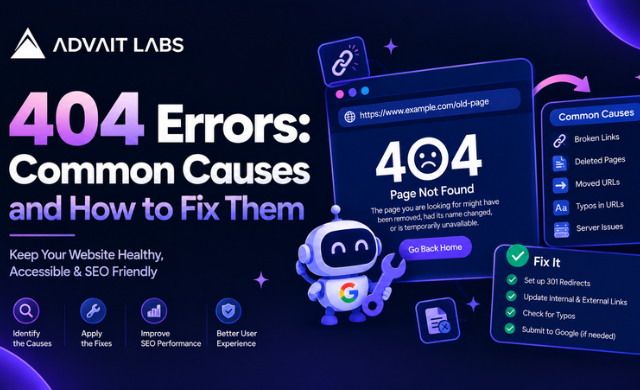
Finding a 404 error when trying to open a webpage can be frustrating, especially when the URL looks correct. For website owners, developers and SEO teams, repeated 404 errors can also indicate that pages have been deleted, moved, renamed or linked incorrectly.
The good news is that not every 404 needs the same solution. Some should simply remain unavailable, while others may need a redirect, a link correction or an update to the website structure.
In this guide, Advait Labs explains what 404 errors mean, why they happen, how to identify them and what you can do to fix them without creating unnecessary technical SEO problems.
Need help reviewing website errors? Connect with Advait Labs in Hyderabad for a technical SEO review focused on identifying and resolving website issues.
What Is a 404 Error?
A 404 error is an HTTP status response indicating that the requested webpage or resource could not be found at the URL being requested.
A visitor may see messages such as:
- 404 Not Found
- Page Not Found
- The requested URL was not found
- This page doesn’t exist
- Sorry, we couldn’t find that page
For example, suppose a website has this URL:
example.com/services/seo-audit
If the page is later removed or the URL is changed to:
example.com/services/technical-seo-audit
Someone visiting the old URL may encounter a 404 error.
A 404 does not automatically mean that the entire website has a problem. The important question is why the URL is returning a 404 and whether that URL should still exist.
Common Causes of 404 Errors
1. The Page Was Deleted
A webpage may be removed because its content is outdated, duplicated, discontinued or no longer relevant.
If another page still links to the deleted URL, visitors may encounter a 404 error when they follow that link.
2. The URL Was Changed
Changing a page slug can create a new URL while the old URL remains referenced elsewhere.
For example:
/digital-marketing-services
may become:
/digital-marketing-services-hyderabad
If the old URL is no longer available and no appropriate redirect is configured, it can return a 404.
3. A URL Was Typed Incorrectly
A simple spelling mistake can create a 404.
For example:
/technical-seo
and
/technical-seo-servces
are different URLs.
The second URL may not exist, even though the intended page does.
4. Broken Internal Links
A broken internal link occurs when one page on your website points to a URL that no longer works.
Common causes include:
- Deleted pages
- Changed URLs
- Incorrect links
- Website migrations
- Manual editing errors
- Changes to category structures
Finding and correcting these links is one of the practical ways to reduce unnecessary 404 errors.
5. Website Migration
Website redesigns and migrations can change URL structures.
For example, an old website might use:
/blog/seo-tips
while a redesigned website uses:
/resources/seo-tips
If the previous URL is not handled correctly, users and search engine crawlers may encounter a 404.
6. Incorrect Redirects
Redirect problems can also create unexpected 404 errors.
A redirect may point to:
- A deleted page
- Another incorrect URL
- A URL that redirects again
- A destination that eventually returns a 404
Redirect chains and redirect loops should therefore be reviewed during technical SEO audits.
How to Find 404 Errors on Your Website
Finding 404 errors is the first step towards fixing them.
Check Google Search Console
Google Search Console can be used to review indexing-related information and identify URLs that require investigation.
The Page indexing reports can help you understand which URLs are not being indexed and why.
However, do not treat every reported URL as something that automatically needs to be fixed. First determine whether the URL is supposed to exist.
Use the URL Inspection Tool
The URL Inspection Tool can be used to investigate an individual URL.
It is useful when you want to check a specific page and understand its current status.
For example, if an important service page appears to be inaccessible, inspect the URL rather than assuming that the issue is a simple 404.
Review Website Crawl Data
A technical SEO crawler can help identify:
- Broken internal links
- 404 URLs
- Redirect chains
- Redirect loops
- Orphan pages
- Incorrect canonical URLs
- Sitemap inconsistencies
- Links pointing to outdated URLs
Combining crawl data with Search Console information gives a more complete view of website issues.
How to Fix 404 Errors
The correct fix depends on what should happen to the missing URL.
Fix 1: Restore the Original Page
If the page was removed accidentally and is still needed, restoring the original URL may be the simplest solution.
Before restoring it, check whether the page content, URL structure and internal links are still appropriate.
Fix 2: Add a Relevant 301 Redirect
If a page has permanently moved to a different, closely related URL, a 301 redirect can connect the old URL with the appropriate replacement.
For example:
/old-service
can redirect to:
/new-service
The destination should be relevant to the original page rather than simply sending every old URL to the homepage.
Fix 3: Update Broken Internal Links
If your own website links to a URL that no longer exists, update the link.
For example, if a blog links to an old service page, replace the broken URL with the current page URL where appropriate.
This helps visitors reach the intended content without encountering an unnecessary 404.
Fix 4: Remove Outdated Links
Sometimes a broken link should not be replaced.
If the content is genuinely discontinued and there is no relevant replacement, removing the outdated internal link may be more appropriate than creating an unrelated redirect.
Fix 5: Correct the URL
If the 404 is caused by a spelling mistake or incorrect URL structure, correct the URL wherever it appears.
Check:
- Navigation menus
- Blog posts
- Buttons
- Footer links
- Images
- XML sitemaps
- Canonical tags
- Structured data
- Internal linking sections
404 Errors and Technical SEO
A 404 issue should be considered within the wider technical SEO structure of a website.
Crawlability
Search engine crawlers discover URLs through links, sitemaps and other website signals.
If important pages are difficult to discover or internal links repeatedly point to unavailable URLs, the website’s crawl structure deserves investigation.
XML Sitemap
An XML sitemap should contain URLs that are intended to be available and discoverable.
If a deleted or unavailable URL remains in the sitemap, review the sitemap and remove outdated entries where appropriate.
A sitemap containing URLs that return 404 responses can make technical SEO maintenance more complicated.
Noindex Tags
A noindex instruction and a 404 response are not the same thing.
A noindex directive tells search engines not to index a page, while a 404 response indicates that the requested resource is not available.
Adding a noindex tag is therefore not a universal solution for a missing page.
Indexing Status
A page can have different indexing conditions depending on its status, accessibility and website configuration.
When investigating an unexpected 404, check the URL’s current status rather than relying only on an older crawl report.
Canonical Tags
Canonical tags should point to the appropriate preferred URL.
If a page has been moved or removed, review its canonical configuration along with redirects and internal links.
Duplicate Content
Duplicate URLs can make website management more difficult because similar content may be accessible through multiple addresses.
Before redirecting or removing a URL, check whether another version of the same content exists. This helps determine whether the correct solution involves consolidation, canonicalisation, updating internal links or another URL-level change.
What Is a Soft 404?
A soft 404 is different from a standard 404 response.
It can occur when a URL appears to show that content is unavailable, but the server does not return the expected 404 status.
For example, a missing page might display a generic “page not found” message while technically returning a successful response.
Soft 404 situations should be investigated separately from normal 404 errors because the underlying technical setup may be different.
Should Every 404 Error Be Fixed?
No. The goal should not be to eliminate every 404 URL simply because it appears in a report.
Ask these questions first:
- Should this URL still exist?
- Does it have useful traffic or links?
- Was the page intentionally removed?
- Is there a relevant replacement?
- Is another page now serving the same purpose?
- Are internal links still pointing to it?
- Is the URL present in the XML sitemap?
A deliberately removed page with no suitable replacement may not require a redirect.
The important part is understanding the reason behind the 404 and choosing the appropriate action.
Reviewing a website after a redesign or URL change? Advait Labs can help you assess broken links, redirects, sitemap issues and other technical SEO elements in Hyderabad.
How to Prevent Future 404 Errors
Preventing unnecessary 404 errors starts with consistent website maintenance.
Before Changing a URL
Before changing a page URL:
- Record the existing URL
- Identify internal links pointing to it
- Check whether the URL appears in the XML sitemap
- Identify an appropriate replacement URL
- Plan the redirect where necessary
- Update internal links after the change
During a Website Migration
Create a URL mapping document containing:
| Old URL | New URL | Action |
| Old service URL | New service URL | Redirect |
| Deleted article | No replacement | Review/remove |
| Changed blog URL | New blog URL | Redirect |
| Incorrect internal link | Correct URL | Update link |
This makes it easier to track URL changes instead of discovering broken pages after the migration is complete.
Perform Regular Technical Audits
Regular website crawls can help identify new technical problems.
A basic review should include:
- 404 errors
- Broken internal links
- Redirect chains
- Redirect loops
- XML sitemap URLs
- Canonical tags
- Noindex directives
- Orphan pages
- Crawlability
- Indexing status
Check Content Before Republishing
If an old article is being replaced with new content, review the existing URL structure first.
Where content is reused or rewritten, perform an appropriate plagiarism or originality check before publishing. This is separate from fixing a 404 but can be included in a broader content and technical SEO workflow.
How a Custom 404 Page Helps
A custom 404 page can provide visitors with useful navigation when they reach an unavailable URL.
Instead of displaying only a technical error message, the page can include:
- A clear explanation
- A link to the homepage
- Website navigation
- A search option
- Links to important sections
- A way to return to relevant content
The purpose is simple: help visitors find their way back to useful pages.
A Simple 404 Error Fixing Checklist
Use this checklist whenever you discover a new 404:
- Identify the affected URL
- Confirm that the URL actually returns a 404
- Determine why the URL is unavailable
- Check internal links pointing to it
- Check whether it appears in the XML sitemap
- Look for a relevant replacement page
- Add a redirect when appropriate
- Update broken internal links
- Review canonical and noindex settings where relevant
- Inspect important URLs in Google Search Console
- Re-crawl the website after major changes
- Keep a record of resolved issues
A structured approach prevents teams from treating every 404 in exactly the same way.
FAQs
What is a 404 error?
A 404 error is an HTTP response indicating that the requested webpage or resource could not be found at the requested URL.
How do I fix 404 errors on my website?
First identify why the URL is unavailable. Depending on the situation, you may need to restore the page, correct a broken link, update the URL or redirect the old URL to a relevant replacement.
Are 404 errors bad for SEO?
A 404 is not automatically a technical SEO problem. The appropriate action depends on whether the URL should exist, whether it has a relevant replacement and whether other parts of the website still link to it.
How do I find 404 errors in Google Search Console?
Google Search Console provides indexing and URL-related reports that can help you investigate URLs requiring attention. The URL Inspection Tool can also be used to examine individual URLs.
What is the difference between a 404 and a soft 404?
A normal 404 returns a not-found response for an unavailable resource. A soft 404 occurs when a page appears to be unavailable but does not return the expected not-found response.
Should I redirect every 404 to the homepage?
No. A redirect should have a relevant destination. Sending unrelated URLs to the homepage can make URL management less meaningful and may not provide visitors with the content they were looking for.
Can broken internal links cause 404 errors?
Yes. When an internal link points to a URL that no longer exists or has been entered incorrectly, visitors following that link may reach a 404 page.
Should 404 URLs be removed from an XML sitemap?
If a URL is intentionally unavailable and should no longer be part of the site’s accessible content, review the XML sitemap and remove the outdated URL where appropriate.
