

Website Accessibility Standards in 2026: WCAG Requirements Every Business Should Know
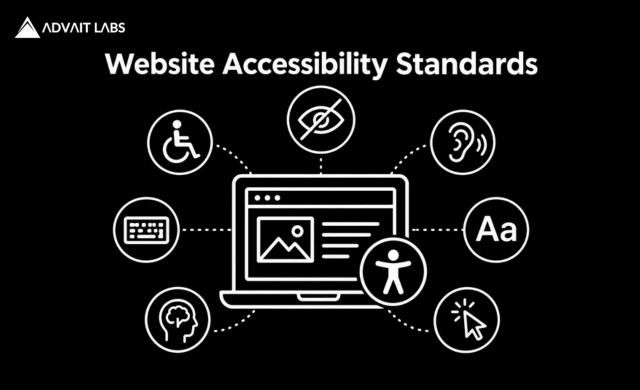
A website can look modern, load quickly, and work well on a desktop while still creating significant barriers for people with disabilities.
For example, a visitor may be unable to navigate a website using only a keyboard. Someone using a screen reader may encounter images without meaningful alternatives. A person with low vision may struggle to distinguish text from its background, while another visitor may have difficulty completing a form because instructions or error messages are unclear.
This is why Website Accessibility Standards are an important part of modern website design and development.
In 2026, businesses should be familiar with Web Content Accessibility Guidelines (WCAG) 2.2, the current W3C recommendation for web accessibility. WCAG provides a framework for making web content more accessible across different devices and assistive technologies.
Website accessibility is not simply about adding an accessibility widget or passing an automated scan. It involves designing and developing websites that people with different abilities can perceive, operate, understand, and interact with.
What Are Website Accessibility Standards?
Website Accessibility Standards are guidelines and technical requirements intended to make websites more usable for people with disabilities.
The most widely recognized international framework is the Web Content Accessibility Guidelines (WCAG), developed by the World Wide Web Consortium (W3C).
WCAG 2.2 organizes accessibility requirements around four principles:
- Perceivable
- Operable
- Understandable
- Robust
These principles contain guidelines and testable success criteria that designers, developers, content teams, and organizations can use when evaluating website accessibility.
Why Website Accessibility Matters in 2026
Accessibility should be considered throughout the website lifecycle rather than only after a website has been launched.
People may access websites using:
- Screen readers
- Keyboard navigation
- Voice controls
- Screen magnification
- Alternative input devices
- Captions and transcripts
- High-contrast settings
- Mobile accessibility features
Accessibility considerations can apply to people with visual, auditory, physical, speech, cognitive, learning, neurological, and other disabilities.
Accessibility can also improve general usability. Clear navigation, readable content, descriptive links, properly labeled forms, predictable interactions, and well-structured pages can benefit many visitors.
For businesses, accessibility should therefore be considered alongside usability, performance, SEO, security, and mobile experience.
WCAG 2.2: The Standard Businesses Should Know
WCAG 2.2 builds on WCAG 2.1 and adds new success criteria intended to address additional accessibility needs.
The new WCAG 2.2 criteria include requirements related to areas such as:
- Focus visibility and focus obstruction
- Dragging interactions
- Target size
- Consistent help
- Redundant data entry
- Accessible authentication
These additions are particularly relevant to modern websites that rely heavily on interactive interfaces, forms, sticky elements, popups, drag-and-drop functionality, and authentication systems.
Businesses planning a website redesign or accessibility audit in 2026 should review their existing implementation against WCAG 2.2 rather than relying only on older accessibility practices.
The Four Principles of WCAG
The four WCAG principles provide a useful way to understand website accessibility.
1. Perceivable
Website information and user-interface components should be presented in ways users can perceive.
Examples include:
- Providing appropriate text alternatives for meaningful images
- Adding captions to relevant video content
- Maintaining sufficient color contrast
- Allowing content to be resized appropriately
- Using meaningful headings and page structure
- Providing accessible multimedia
For example, an image that communicates important information should not rely exclusively on the visual image to communicate that information.
Use Meaningful Alt Text
Alternative text should communicate the purpose or information provided by a meaningful image.
An alt attribute such as:
image123.jpg
does not explain what the image communicates.
A more useful alternative might describe the relevant subject or purpose of the image.
Decorative images should be handled appropriately so that unnecessary information is not announced by assistive technologies.
2. Operable
Users should be able to navigate and interact with a website without being dependent on a particular input method.
Accessibility considerations include:
- Keyboard navigation
- Visible focus indicators
- Accessible menus
- Usable buttons
- Appropriate touch targets
- Accessible interactive components
- Appropriate handling of time limits
- Alternatives to required dragging interactions
A website should not assume that every visitor uses a mouse.
Why Keyboard Accessibility Matters
Try navigating your website without a mouse.
Can you:
- Open the main menu?
- Move between links?
- Complete a form?
- Operate dropdown menus?
- Open and close dialogs?
- Submit a form?
- Reach important content?
If important functionality cannot be accessed using a keyboard, the website may contain significant accessibility barriers.
3. Understandable
Website content and functionality should be understandable and predictable.
This includes:
- Clear navigation
- Descriptive labels
- Consistent interfaces
- Understandable instructions
- Helpful form validation
- Clear error messages
- Predictable interactions
For example, a form should not simply display:
“Invalid input.”
A better error message explains what went wrong and, where possible, how the visitor can correct it.
WCAG 2.2 also includes requirements addressing consistent help, redundant entry, and accessible authentication.
4. Robust
Website content should work reliably with different browsers, user agents, and assistive technologies.
Developers should use appropriate semantic HTML and accessible implementation practices.
Important considerations include:
- Correct HTML elements
- Meaningful labels
- Logical heading structure
- Accessible form controls
- Appropriate ARIA usage
- Correct programmatic relationships
The goal is to ensure that browsers and assistive technologies can correctly interpret the website’s content and functionality.
WCAG Conformance Levels: A, AA and AAA
WCAG has three levels of conformance.
| Level | Meaning |
|---|---|
| Level A | Basic accessibility requirements |
| Level AA | More comprehensive accessibility requirements |
| Level AAA | Highest level of WCAG conformance |
Level AA includes all Level A and Level AA success criteria.
WCAG explains that Level AAA should generally not be treated as a blanket requirement for entire websites because some AAA criteria may not be applicable or achievable for all types of content.
For many organizations, WCAG 2.2 Level AA is an important accessibility target.
However, the appropriate target can depend on the organization’s industry, audience, contractual obligations, and applicable laws.
10 Website Accessibility Standards Businesses Should Prioritize
Businesses do not necessarily need to address every accessibility issue simultaneously. A practical approach is to prioritize barriers that significantly affect users.
1. Provide Meaningful Alternative Text
Images that communicate information should have appropriate alternative text.
For example, an image showing a product feature should have alt text that communicates the relevant information rather than simply describing the file name.
Decorative images should be treated differently so they do not add unnecessary information for screen-reader users.
2. Maintain Sufficient Color Contrast
Text and important interface elements should be distinguishable from their backgrounds.
Pay particular attention to:
- Body text
- Buttons
- Navigation
- Links
- Form fields
- Error messages
- Status indicators
Do not rely solely on color to communicate important information.
3. Make the Website Keyboard Accessible
Important website functionality should be usable without a mouse.
Test keyboard access for:
- Navigation menus
- Forms
- Dropdowns
- Search interfaces
- Modal dialogs
- Sliders
- Interactive components
A user should be able to move through interactive elements logically and operate them using appropriate keyboard controls.
4. Make Focus States Visible
Keyboard users need to know which element currently has focus.
Removing the browser’s default focus indicator without providing an accessible replacement can make navigation difficult.
WCAG 2.2 introduced additional requirements concerning focus, including Focus Not Obscured at Level AA and Focus Appearance at Level AAA.
Sticky headers, floating bars, cookie notices, and other overlays should be reviewed to ensure they do not hide focused content.
5. Use a Logical Heading Structure
Headings provide structure for users and assistive technologies.
A typical hierarchy might look like:
H1 → H2 → H3 → H3 → H2
Heading elements should be selected based on the document structure rather than simply because a particular heading size looks attractive.
CSS can control visual appearance, while HTML heading elements communicate content hierarchy.
6. Build Accessible Forms
Forms are a common source of accessibility problems.
Make sure:
- Every form field has a meaningful label
- Required fields are clearly identified
- Instructions are understandable
- Errors are clearly communicated
- Error messages identify affected fields
- Users are not required to rely only on color
For example, an error should not be communicated only by changing a field border to red.
A meaningful text message should also explain the problem.
7. Use Descriptive Link Text
Avoid relying heavily on generic link text such as:
Click here
Instead, link text should communicate the destination or purpose.
For example:
Read our website design services
is generally more informative than:
Click here
Descriptive links can help visitors scan content and can provide more useful information to people using assistive technologies.
8. Make Videos Accessible
Multimedia should be designed with accessibility in mind.
Depending on the content, accessibility measures may include:
- Captions
- Transcripts
- Audio descriptions
- Accessible media controls
Businesses should consider whether important information presented through audio or video is also available through an appropriate alternative.
9. Ensure Buttons Have Accessible Names
Interactive controls should communicate their purpose.
For example:
Submit Application
is more informative than a button containing only an unexplained icon.
Icon-only buttons should have an accessible name that identifies their function.
10. Design Accessible Popups and Dialogs
Popups, cookie banners, dialogs, and other overlays can create accessibility barriers when they:
- Trap keyboard focus incorrectly
- Cannot be closed using the keyboard
- Hide focused content
- Have unclear labels
- Appear unexpectedly
- Prevent access to important content
Interactive overlays need to be designed and tested as carefully as the main page.
WCAG 2.2 Changes Businesses Should Pay Attention To
If your website was built around older accessibility requirements, WCAG 2.2 introduces several areas worth reviewing.
Focus Not Obscured
A focused component should not be completely hidden by author-created content.
This is particularly relevant to sticky headers, floating navigation bars, cookie banners, and overlays.
Dragging Movements
When functionality requires dragging, WCAG 2.2 includes requirements for providing an alternative input mechanism in applicable situations.
This can affect:
- Sliders
- Drag-and-drop interfaces
- Reordering tools
- Interactive controls
Target Size
WCAG 2.2 introduced a Level AA requirement for minimum target size, subject to specified exceptions.
This is particularly relevant to mobile interfaces where small buttons or closely positioned controls can be difficult to operate.
Consistent Help
When help mechanisms such as contact information, self-help options, or automated support are repeatedly provided across a set of pages, they should be presented consistently under the applicable criteria.
Redundant Entry
When information has already been entered during a process and is required again, applicable WCAG criteria address ways to reduce unnecessary re-entry.
This can make forms and multi-step processes easier to complete.
Accessible Authentication
WCAG 2.2 includes requirements intended to reduce accessibility barriers during authentication.
Authentication processes should avoid unnecessary cognitive barriers where the applicable success criteria require alternatives.
Website Accessibility Is More Than an Accessibility Widget
One common misconception is that installing an accessibility widget or overlay automatically makes a website accessible.
It does not replace proper accessibility implementation.
Accessibility needs to be considered throughout:
- HTML
- CSS
- JavaScript
- Navigation
- Forms
- Images
- Multimedia
- Content
- Interactive components
An accessibility tool can help identify certain problems, but it should not be treated as proof that a website is fully accessible.
Automated Accessibility Testing vs Manual Testing
A strong accessibility evaluation combines automated and manual testing.
What Automated Testing Can Identify
Automated tools can help detect issues such as:
- Missing alternative text
- Some color-contrast problems
- Missing form labels
- Certain structural problems
- Some ARIA issues
- Certain markup-related problems
What Manual Testing Can Identify
Manual testing can reveal:
- Keyboard navigation problems
- Poor focus management
- Confusing workflows
- Inaccessible interactive components
- Unclear instructions
- Problems caused by dynamic content
- Usability barriers that automated tools cannot understand
Assistive Technology Testing
Where appropriate, testing with assistive technologies such as screen readers can provide additional insight into how people actually experience the website.
No single automated scanner can identify every accessibility problem.
Website Accessibility Checklist for 2026
Before launching or redesigning a website, businesses can review the following areas.
Content
- Images have appropriate text alternatives
- Headings follow a logical structure
- Links describe their destinations
- Content is understandable
- Videos have appropriate accessibility support
Navigation
- Website functionality works with keyboard navigation
- Focus indicators are visible
- Focus is not unexpectedly obscured
- Menus are accessible
- Interactive controls have clear accessible names
Design
- Text has sufficient contrast
- Content remains usable when resized
- Buttons and controls have appropriate target sizes
- Information is not communicated through color alone
- Layouts remain usable across different screen sizes
Forms
- Inputs have meaningful labels
- Required fields are identified
- Instructions are clear
- Errors are understandable
- Users can correct mistakes
- Authentication does not create unnecessary accessibility barriers
Technical Implementation
- Semantic HTML is used appropriately
- ARIA is used correctly where necessary
- Interactive components are keyboard accessible
- Programmatic relationships are correctly implemented
- Accessibility is tested across relevant browsers and devices
How Website Accessibility Can Improve User Experience
Accessibility improvements can benefit many users, not only people with disabilities.
For example:
Clear headings help screen-reader users navigate but also help everyone scan a page.
Captions support people who are deaf or hard of hearing and are also useful when someone watches a video without sound.
Keyboard support benefits people with motor disabilities and can also help users who prefer keyboard navigation.
Clear forms can make the process easier for users with cognitive disabilities while reducing frustration for other visitors.
Accessibility should therefore not be viewed only as a compliance exercise.
It is also an important part of user experience design.
Is Website Accessibility Related to SEO?
Accessibility and SEO are separate disciplines, and WCAG conformance does not automatically guarantee higher search rankings.
However, several good practices can support both accessibility and search-friendly website structure.
These include:
- Descriptive content
- Logical headings
- Meaningful text alternatives
- Semantic HTML
- Descriptive links
- Clear page structure
- Mobile-friendly design
- Good usability
Businesses should therefore treat SEO and accessibility as complementary website-quality objectives rather than assuming that one automatically guarantees the other.
Accessibility Should Be Built Into Website Development
Fixing accessibility issues after a website has been completely developed can be more difficult and expensive than considering accessibility during the planning stage.
Accessibility can be incorporated into:
Research → UX → Design → Development → Content → Testing → Maintenance
This helps prevent accessibility from becoming a last-minute checklist.
For businesses planning a website redesign in 2026, accessibility should be included in the project requirements from the beginning.
How Businesses Can Improve Website Accessibility in 2026
A practical accessibility improvement process can include the following steps.
Step 1: Audit the Existing Website
Review important pages and user journeys to identify accessibility barriers.
Step 2: Prioritize High-Impact Issues
Start with issues that prevent users from navigating the website, accessing important information, completing forms, or using essential functionality.
Step 3: Define the Appropriate Conformance Target
For many organizations, WCAG 2.2 Level AA is an important target.
However, businesses should also consider applicable legal, contractual, industry, and organizational requirements.
Step 4: Fix the Underlying Implementation
Address accessibility problems within the website’s HTML, CSS, JavaScript, content, and component design instead of relying solely on overlays or cosmetic changes.
Step 5: Perform Manual Testing
Test keyboard navigation and, where appropriate, assistive technologies in addition to automated accessibility testing.
Step 6: Monitor Accessibility Continuously
Accessibility is not a one-time project.
New pages, content, plugins, redesigns, forms, and interactive features can introduce new accessibility barriers.
Regular monitoring helps maintain accessibility as the website evolves.
Website Accessibility at Advait Technology Labs
At Advait Technology Labs, website accessibility can be considered as part of a broader website design and development strategy.
A website development approach can incorporate:
- Responsive website design
- Mobile-friendly interfaces
- Structured website architecture
- Accessible navigation
- User-focused layouts
- SEO-friendly development
- Website performance optimization
- Conversion-focused design
- Scalable website architecture
For businesses planning a new website or redesign, considering accessibility from the beginning can help create a more inclusive and user-friendly digital experience.
Visit Advait Technology Labs Today!
Frequently Asked Questions
What are the main Website Accessibility Standards in 2026?
WCAG 2.2 is the primary international web accessibility standard businesses should be familiar with in 2026. It organizes accessibility requirements around the principles of Perceivable, Operable, Understandable, and Robust.
Is WCAG 2.2 mandatory for every website?
WCAG itself is a technical accessibility standard and is not automatically a universal legal requirement for every website. Legal obligations vary depending on the country, industry, organization, service, and applicable regulations.
Businesses should determine which accessibility requirements apply to their specific situation.
What is the recommended WCAG level for a business website?
Many organizations use WCAG Level AA as their accessibility target because it provides broader coverage than Level A without requiring every AAA criterion.
The appropriate target should be determined based on the organization’s specific requirements and applicable obligations.
Does WCAG compliance improve SEO?
WCAG compliance and SEO are separate objectives.
However, practices such as semantic structure, descriptive content, logical headings, accessible navigation, and good usability can contribute to a well-structured and user-friendly website.
Can an accessibility tool make a website fully accessible?
No.
Automated accessibility tools can identify certain technical issues, but they cannot replace manual evaluation, keyboard testing, and appropriate assistive-technology testing.
Should accessibility be considered during website development?
Yes.
Considering accessibility during research, design, development, content creation, and testing can help prevent barriers from being introduced in the first place.
Is an accessibility widget enough for WCAG compliance?
No.
An accessibility widget may provide certain features, but it cannot replace accessible HTML, semantic structure, keyboard functionality, accessible forms, appropriate focus management, and proper implementation of interactive components.
Final Thoughts
Website Accessibility Standards are an important part of responsible website design and development in 2026.
WCAG 2.2 provides a structured framework based on four principles: Perceivable, Operable, Understandable, and Robust.
Its newer requirements address areas such as focus visibility, target size, dragging alternatives, consistent help, redundant entry, and accessible authentication.
The objective should not simply be to pass an automated accessibility scan.
The goal is to create a website that people with different abilities can access, navigate, understand, and use effectively.
For businesses investing in a new website or redesign, accessibility should be considered alongside SEO, performance, mobile usability, security, and conversion optimization.
An accessible website is ultimately a better foundation for reaching and serving a wider audience.
