

UTM Parameters Explained: Tracking Campaigns the Right Way
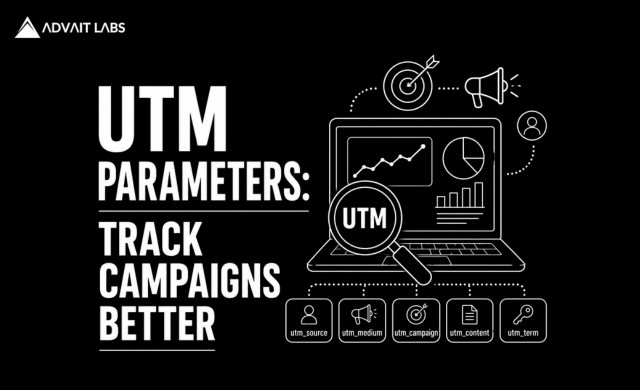
UTM Parameters are one of the simplest ways to understand where your website traffic and conversions actually come from. Whether you’re running Google Ads, social media campaigns, email marketing, influencer promotions, or content campaigns, UTM parameters help connect individual marketing activities with measurable website behavior.
Without proper campaign tracking, businesses may see traffic increasing in Google Analytics but struggle to determine which campaigns generated those visitors or which channels contributed to conversions.
At Advait Technology Labs, we help businesses use analytics, campaign tracking, SEO, and digital marketing data to make better marketing decisions. In this guide, you’ll learn what UTM parameters are, how they work, which UTM parameters you should use, common mistakes to avoid, and how proper tracking can improve marketing ROI.
What Are UTM Parameters?
UTM Parameters are small pieces of information added to the end of a URL to identify where website traffic comes from.
For example:
https://example.com/services?utm_source=google&utm_medium=cpc&utm_campaign=summer_campaign
The UTM parameters tell your analytics platform information about the campaign that generated the visit.
Common UTM parameters include:
- utm_source
- utm_medium
- utm_campaign
- utm_term
- utm_content
These parameters allow marketers to analyze campaign performance more accurately.
Why Are UTM Parameters Important?
Marketing teams often use multiple channels simultaneously.
You might promote the same landing page through:
- Google Ads
- Email newsletters
- WhatsApp campaigns
- Influencer partnerships
- Display advertising
Without campaign tracking, it can be difficult to distinguish the traffic generated by each activity.
UTM parameters create a consistent tracking system that allows marketers to answer questions such as:
- Which campaign generated the most traffic?
- Which channel generated the most leads?
- Which ads produced conversions?
- Which email campaign performed best?
- Which campaign generated the highest revenue?
How Do UTM Parameters Work?
A UTM-tagged URL contains additional information after the main URL.
For example:
https://example.com/web-design?utm_source=linkedin&utm_medium=social&utm_campaign=website_campaign
Here:
- utm_source=linkedin identifies the traffic source.
- utm_medium=social identifies the marketing channel.
- utm_campaign=website_campaign identifies the campaign.
When someone clicks the link, the information can be captured by analytics platforms such as Google Analytics 4.
The 5 Main UTM Parameters
1. utm_source
The utm_source parameter identifies where the traffic originated.
Examples:
- newsletter
- youtube
Example:
utm_source=linkedin
This tells you that LinkedIn was the traffic source.
2. utm_medium
The utm_medium parameter identifies the marketing channel.
Common examples include:
- cpc
- social
- referral
- display
Example:
utm_medium=cpc
This indicates paid search traffic.
3. utm_campaign
The utm_campaign parameter identifies the specific marketing campaign.
For example:
utm_campaign=summer_offer
You can use campaign names to distinguish different promotions, launches, or marketing initiatives.
4. utm_term
The utm_term parameter is traditionally used to identify paid search keywords.
For example:
utm_term=website_design
This can help connect paid search traffic with specific keyword themes when your advertising setup supports it.
5. utm_content
The utm_content parameter helps distinguish different links or creative elements within the same campaign.
For example:
utm_content=blue_banner
You could use this to compare:
- Two advertisements
- Multiple email links
- Different banners
- Different calls to action
Example of a Complete UTM URL
A complete URL could look like this:
https://example.com/seo-services?utm_source=google&utm_medium=cpc&utm_campaign=seo_services&utm_term=technical_seo&utm_content=text_ad_1
This provides information about:
Source: Google
Medium: CPC
Campaign: SEO Services
Term: Technical SEO
Content: Text Ad 1
This level of tracking makes campaign analysis much easier.
UTM Parameters vs. Referral Traffic
Without UTM parameters, analytics platforms may categorize traffic based on referral information or other available signals.
UTM parameters provide marketers with explicit campaign information.
For example, instead of simply seeing traffic from a social platform, properly tagged links can identify:
Platform → Campaign → Creative → Traffic
This makes campaign reporting more actionable.
When Should You Use UTM Parameters?
UTM tracking is especially useful for campaigns where you control the destination URL.
Consider using UTM parameters for:
Email Marketing
Track traffic from:
- Newsletters
- Promotional emails
- Product announcements
- Automated email campaigns
Social Media Campaigns
Use UTM parameters for links shared through:
- X
- YouTube
Paid Advertising
UTM parameters can help distinguish campaigns, ad groups, creatives, and other campaign dimensions depending on your advertising platform and tracking configuration.
Influencer Marketing
If multiple influencers promote your website, create unique tracking URLs to identify which partnerships generate traffic and conversions.
Content Marketing
Track traffic from:
- Guest posts
- Industry publications
- Partner websites
- Digital PR campaigns
UTM Parameters and Google Analytics 4
Google Analytics 4 can use campaign parameters to categorize and report on campaign traffic.
When visitors arrive through properly tagged links, marketers can analyze campaign performance using acquisition reports.
You can evaluate:
- Users
- Sessions
- Engagement
- Conversions
- Revenue
- Campaign performance
This allows marketing teams to connect traffic sources with actual business outcomes.
UTM Parameters and Google Ads
Google Ads provides its own campaign tracking capabilities, including auto-tagging.
For Google Ads, marketers should understand the difference between:
Auto-tagging and manual UTM tagging.
Auto-tagging can provide detailed Google Ads information to Analytics, while UTM parameters can be useful for broader campaign consistency and external campaign tracking.
Avoid creating conflicting tracking configurations without understanding how they interact.
Best Practices for UTM Naming
Create a standardized naming convention.
For example:
Source
Medium
cpc
Campaign
seo_services_2026
Content
responsive_ad
Use lowercase naming and consistent separators.
For example:
utm_campaign=seo_services_2026
is easier to manage than using multiple variations such as:
- SEO Services 2026
- seo-services-2026
- SEO_Services
- SeoServices2026
Consistency is more important than the exact naming format.
How to Build a UTM Tracking Process
A simple process can prevent reporting problems.
Step 1: Define Your Naming Convention
Decide how your team will name sources, mediums, campaigns, and content.
Step 2: Create Campaign URLs
Add appropriate UTM parameters to external campaign links.
Step 3: Document Campaigns
Maintain a centralized spreadsheet containing:
- Campaign name
- Source
- Medium
- Landing page
- Launch date
- UTM URL
Step 4: Test URLs
Click the tracking URL before launching the campaign.
Check that:
- The page loads correctly.
- The URL contains the expected parameters.
- Analytics tracking is working.
Step 5: Monitor Performance
Analyze campaign traffic, engagement, conversions, and revenue.
Step 6: Optimize
Use the data to identify campaigns and channels producing the strongest business results.
Final Thoughts
UTM Parameters provide a simple but powerful way to improve campaign tracking and marketing attribution. By consistently identifying the source, medium, campaign, term, and content associated with your marketing links, you can gain a clearer understanding of campaign performance.
The real value of UTM tracking comes when businesses connect campaign data with meaningful outcomes such as leads, sales, revenue, and customer acquisition cost.
Start with a simple naming convention, document your campaigns, test your URLs, and review your analytics regularly. With consistent implementation, UTM parameters can become an essential part of a data-driven marketing strategy.
If your business needs help setting up campaign tracking, analytics, conversion measurement, or a broader data-driven digital marketing strategy, Advait Technology Labs can help build a tracking framework tailored to your marketing goals.
Visit Advait Technology Labs Today!
Frequently Asked Questions
What are UTM Parameters?
UTM Parameters are tracking values added to URLs to identify the source, medium, campaign, and other details associated with website traffic.
Do UTM Parameters affect SEO rankings?
No. UTM parameters are primarily used for campaign tracking and attribution. They are not a direct Google ranking factor.
Which UTM Parameters are most important?
The most commonly used parameters are utm_source, utm_medium, and utm_campaign. utm_term and utm_content can be added when more detailed campaign tracking is required.
Can I use UTM Parameters for Google Ads?
Yes. Google Ads has its own tracking capabilities, including auto-tagging, and UTM parameters can also be used for campaign tracking when configured appropriately.
Should I use UTM Parameters on internal website links?
Generally, no. Adding UTM parameters to internal links can interfere with acquisition attribution. UTM parameters are primarily intended for external campaign links.
