

XML Sitemaps: Common Mistakes That Block Indexing
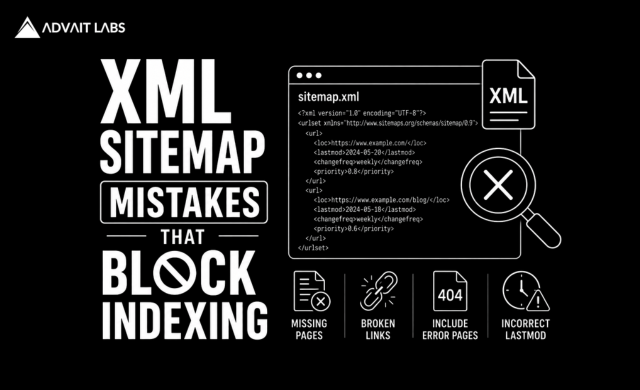
XML Sitemap optimization is an important part of technical SEO, especially for large, frequently updated, or complex websites. A sitemap helps search engines discover the URLs you want them to crawl. However, simply creating an XML sitemap does not guarantee that every URL will be crawled or indexed.
Incorrect URLs, redirect chains, noindex pages, server errors, outdated sitemap files, and incorrect robots.txt configurations can make your sitemap less useful and create unnecessary crawling problems.
At Advait Technology Labs, we help businesses identify technical SEO issues that affect crawling, indexing, website performance, and organic visibility. In this guide, we’ll explain the most common XML sitemap mistakes, how to identify them, and what you can do to build a cleaner sitemap that supports your SEO strategy.
What Is an XML Sitemap?
An XML Sitemap is a file that provides search engines with information about the important URLs on your website.
It helps search engines discover pages such as:
- Blog posts
- Service pages
- Product pages
- Category pages
- Important landing pages
A sitemap is particularly useful for websites with:
- Many pages
- Large content libraries
- Frequently changing content
- Complex website structures
- New or recently launched pages
However, a sitemap is a discovery mechanism, not an indexing guarantee.
Google may crawl a URL listed in a sitemap but still decide not to index it.
Does an XML Sitemap Guarantee Indexing?
No.
Submitting a URL through an XML Sitemap tells search engines that you want them to discover the URL. It does not force Google to crawl or index it.
Indexing depends on several factors, including:
- Content quality
- Page relevance
- Internal linking
- Canonicalization
- Website authority
- Crawlability
- Technical accessibility
- Search engine quality systems
This distinction is important when diagnosing indexing problems.
If pages are not appearing in Google, simply resubmitting the sitemap repeatedly may not solve the underlying issue.
12 Common XML Sitemap Mistakes
1. Including Non-Indexable URLs
One of the most common mistakes is adding URLs that you don’t actually want indexed.
Your sitemap should generally focus on URLs that are:
- Canonical
- Indexable
- Accessible
- Valuable to users
- Intended to appear in search
Avoid filling your sitemap with URLs that have no index directives or other indexing restrictions.
2. Including Redirected URLs
A sitemap should not normally contain URLs that redirect to another URL.
For example:
Old URL → 301 redirect → New URL
The sitemap should generally contain the final destination rather than the redirected URL.
Regularly check your sitemap for:
- 301 redirects
- 302 redirects
- Redirect chains
- Redirect loops
Keeping redirected URLs out of the sitemap makes crawling more efficient.
3. Adding 404 Pages
Including URLs that return a 404 status creates unnecessary problems.
A sitemap should not contain pages that no longer exist.
If a page has been permanently removed, determine whether it should:
- Be redirected to a relevant replacement
- Return a proper 404 or 410 response
- Be replaced with a useful page
Then update the sitemap accordingly.
4. Including Server Error URLs
URLs returning errors such as 5xx status codes should not be included in your sitemap.
Server errors can indicate:
- Hosting problems
- Application errors
- Database issues
- Server configuration problems
Monitor these URLs through technical SEO crawlers and Google Search Console.
5. Using Incorrect Canonical URLs
Your sitemap and canonical tags should generally communicate a consistent preferred URL.
For example, if:
URL A → canonical URL B
then URL B is generally the stronger candidate for inclusion in the sitemap.
Inconsistent canonical signals can make it harder for search engines to determine which version of a page should be indexed.
6. Adding Duplicate URLs
A website can accidentally generate multiple URLs for the same content.
Common causes include:
- URL parameters
- Tracking parameters
- HTTP and HTTPS versions
- www and non-www versions
- Trailing slash variations
- CMS-generated URLs
Your sitemap should contain the preferred canonical versions rather than multiple duplicates.
7. Forgetting to Update the Sitemap
Websites change constantly.
Pages are:
- Added
- Removed
- Updated
- Redirected
- Reorganized
If your sitemap isn’t updated automatically or reviewed regularly, it can contain outdated URLs.
An automatically generated sitemap can reduce this problem for many websites.
8. Blocking Sitemap URLs in Robots.txt
Your robots.txt file controls whether crawlers can access specific areas of your website.
If important URLs are included in the sitemap but blocked by robots.txt, search engines may have difficulty crawling them.
Review both files together.
The sitemap should identify important URLs, while robots.txt should not unintentionally prevent their discovery or crawling.
9. Using Incorrect Sitemap Location
Search engines need to be able to access your sitemap.
A sitemap is commonly located at:
/sitemap.xml
However, websites can use different sitemap locations.
The important thing is that the sitemap is:
- Accessible
- Valid
- Properly referenced
- Submitted to Google Search Console
10. Creating an Invalid XML Sitemap
An XML sitemap must follow the required XML structure.
Problems can occur because of:
- Invalid XML syntax
- Incorrect tags
- Encoding issues
- Broken URLs
- Unsupported characters
- Incorrect formatting
A sitemap validation tool or SEO crawler can help identify these issues.
11. Creating an Oversized Sitemap
Large websites may need multiple sitemap files.
A sitemap index can organize multiple XML sitemaps, such as:
- /post-sitemap.xml
- /page-sitemap.xml
- /product-sitemap.xml
- /category-sitemap.xml
This makes sitemap management easier for large websites.
12. Treating the Sitemap as a Replacement for Internal Linking
An XML sitemap should not replace a strong internal linking structure.
Important pages should be discoverable through relevant internal links as well.
Internal links help:
- Distribute authority
- Establish page relationships
- Improve navigation
- Support topical relevance
- Help crawlers discover content
A page that exists only in a sitemap but has no meaningful internal links may still have weak site-level signals.
How to Check Whether Your Sitemap Has Problems
A practical XML Sitemap audit can follow these steps.
Step 1: Find Your Sitemap
Check your website’s robots.txt file or sitemap configuration.
Step 2: Open the Sitemap
Confirm that the sitemap loads correctly and contains valid URLs.
Step 3: Check URL Status Codes
Look for:
- 200 pages
- 3xx redirects
- 4xx errors
- 5xx errors
Your sitemap should primarily contain accessible URLs intended for indexing.
Step 4: Compare Canonical Tags
Check whether sitemap URLs correspond with the canonical URLs on those pages.
Step 5: Check Indexability
Make sure important sitemap URLs aren’t accidentally marked noindex.
Step 6: Review Google Search Console
Google Search Console can help you monitor sitemap processing and investigate indexing issues.
Look at the relationship between:
- Sitemap submissions
- Discovered URLs
- Indexed pages
- Pages excluded from indexing
XML Sitemap vs Robots.txt
These two files serve different purposes.
| XML Sitemap | Robots.txt |
| Helps search engines discover URLs | Controls crawler access |
| Lists important URLs | Provides crawling instructions |
| Supports URL discovery | Can restrict crawling |
| Submitted through Search Console | Usually located at the website root |
| Does not guarantee indexing | Does not guarantee de-indexing |
They should work together as part of your technical SEO strategy.
Final Thoughts
An XML Sitemap is a fundamental part of technical SEO, but simply creating and submitting one isn’t enough. A sitemap filled with redirected, broken, duplicate, blocked, or non-indexable URLs can reduce its usefulness and make technical SEO problems harder to identify.
Regularly auditing your sitemap ensures that it contains the URLs you actually want search engines to discover and consider for indexing.
For the best results, combine a clean XML Sitemap with strong internal linking, optimized website architecture, quality content, proper canonicalization, and a technically healthy website.
If you’re experiencing indexing issues or aren’t sure whether your XML Sitemap is configured correctly, Advait Technology Labs can audit your website’s technical SEO setup and identify opportunities to improve crawling, indexing, and organic search visibility.
Visit Advait Technology Labs Today!
Frequently Asked Questions
What is an XML Sitemap?
An XML Sitemap is a file that lists important URLs on a website to help search engines discover pages that may be eligible for crawling and indexing.
Does submitting an XML Sitemap guarantee indexing?
No. A sitemap helps with URL discovery, but search engines decide whether and when a page should be crawled and indexed based on various quality, relevance, and technical signals.
Should 404 pages be included in an XML Sitemap?
No. URLs returning 404 errors generally should not remain in an XML Sitemap. The sitemap should contain valid, accessible URLs that you want search engines to consider.
Should redirected URLs be included in an XML Sitemap?
Generally, no. The sitemap should normally contain the final canonical destination rather than URLs that redirect elsewhere.
How do I check my XML Sitemap?
You can inspect the sitemap directly, validate its XML structure, crawl the listed URLs using an SEO crawler, and monitor sitemap processing and indexing reports in Google Search Console.
