

Google Ads Account Audit: 10 Things to Check Before Increasing Budget
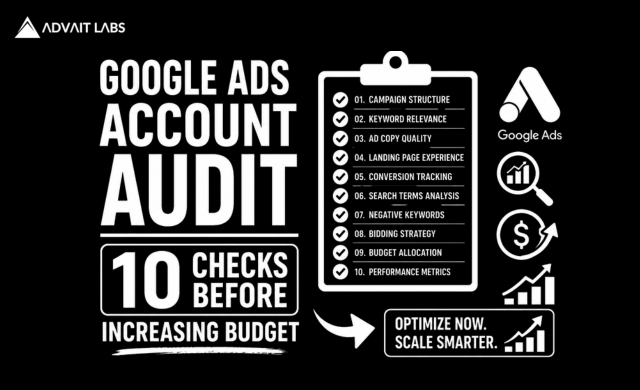
Google Ads Account Audit is one of the most important steps businesses should take before increasing their advertising budget. Many advertisers assume that spending more will automatically generate more leads or sales, but that’s rarely the case. If your campaigns aren’t optimized, a larger budget may simply result in higher wasted spend rather than better performance.
Before investing more in Google Ads, it’s essential to evaluate your account’s overall health. A thorough Google Ads Account Audit helps identify issues such as poor keyword targeting, ineffective ad copy, weak landing pages, low Quality Scores, and conversion tracking errors. Fixing these problems first allows you to maximize return on investment (ROI) and scale your campaigns more effectively.
At Advait Technology Labs, we conduct comprehensive Google Ads audits to help businesses improve campaign performance, reduce unnecessary costs, and achieve measurable growth. In this guide, we’ll walk you through the ten most important areas to review before increasing your Google Ads budget.
What Is a Google Ads Account Audit?
A Google Ads Account Audit is a systematic review of your Google Ads account to evaluate campaign performance, identify optimization opportunities, and eliminate factors that reduce advertising efficiency.
An audit typically examines:
- Campaign structure
- Keyword targeting
- Search terms
- Ad copy
- Negative keywords
- Landing pages
- Quality Score
- Conversion tracking
- Bid strategy
- Budget allocation
The goal is to ensure your campaigns are generating the highest possible return before increasing ad spend.
Why Is a Google Ads Account Audit Important?
Scaling an inefficient campaign simply increases costs.
A well-executed audit helps businesses:
- Reduce wasted ad spend
- Improve click-through rates (CTR)
- Increase conversion rates
- Lower cost per acquisition (CPA)
- Improve Quality Score
- Maximize return on ad spend (ROAS)
Optimizing first and scaling second is a far more sustainable approach to PPC success.
1. Review Conversion Tracking
Accurate conversion tracking is the foundation of every successful Google Ads campaign.
Before increasing your budget, confirm that you’re tracking meaningful actions such as:
- Contact form submissions
- Phone calls
- Online purchases
- Quote requests
- Appointment bookings
Without reliable conversion data, it’s impossible to know which campaigns are actually generating results.
2. Check Search Terms Report
Many businesses pay for clicks from irrelevant searches without realizing it.
Review your Search Terms Report to identify:
- Irrelevant queries
- Low-converting searches
- Unexpected keyword matches
- Opportunities for new negative keywords
Regularly refining search terms helps improve traffic quality.
3. Optimize Your Negative Keywords
Negative keywords prevent your ads from appearing for searches that don’t match your business objectives.
Common examples include:
- Free
- Jobs
- Careers
- Internship
- Tutorial
- Download
A well-maintained negative keyword list reduces wasted spend and improves campaign relevance.
4. Evaluate Keyword Performance
Not every keyword deserves additional budget.
Review each keyword based on:
- Click-through rate (CTR)
- Conversion rate
- Cost per conversion
- Search intent
- Return on investment
Pause or optimize underperforming keywords before scaling your campaigns.
5. Review Ad Copy
Even small improvements in ad copy can significantly increase campaign performance.
Ask yourself:
- Does the headline match user intent?
- Is the value proposition clear?
- Does the ad include a strong call to action?
- Are important keywords included naturally?
Testing multiple ad variations helps improve click-through rates over time.
6. Analyze Landing Pages
A great ad cannot compensate for a poor landing page.
Evaluate whether your landing pages provide:
- Fast loading speeds
- Mobile-friendly design
- Clear messaging
- Relevant content
- Strong calls to action
- Simple lead forms
Improving landing page experience often increases conversions without increasing ad spend.
7. Check Quality Score
Google’s Quality Score influences both ad rankings and cost per click.
Review factors such as:
- Expected CTR
- Ad relevance
- Landing page experience
Higher Quality Scores can reduce advertising costs while improving visibility.
8. Review Bid Strategy
Your bidding strategy should align with your campaign objectives.
Depending on your goals, Google Ads offers strategies such as:
- Maximize Conversions
- Target CPA
- Target ROAS
- Maximize Clicks
- Manual CPC
Choosing the right strategy helps Google optimize campaign performance more effectively.
9. Evaluate Device Performance
Users behave differently across devices.
Review campaign performance for:
- Mobile
- Desktop
- Tablet
If one device consistently underperforms, adjust bids or optimize the user experience accordingly.
Since Google uses mobile-first principles, ensuring strong mobile performance is particularly important.
10. Allocate Budget Based on Performance
Rather than increasing budgets across every campaign, identify which campaigns consistently generate the highest return.
Increase investment where you see:
- Strong conversion rates
- High ROAS
- Low CPA
- Qualified leads
Scaling your best-performing campaigns typically produces better results than spreading budget evenly.
Final Thoughts
A Google Ads Account Audit is an essential step before increasing your advertising budget. By reviewing campaign structure, keywords, search terms, landing pages, Quality Score, conversion tracking, and bidding strategies, businesses can eliminate inefficiencies and maximize return on investment.
Scaling a well-optimized campaign produces far better results than increasing spend on underperforming campaigns. Taking the time to audit your account first helps ensure your marketing budget is invested where it delivers the greatest value.
If you’re planning to scale your Google Ads campaigns, Advait Technology Labs can help you perform a comprehensive Google Ads Account Audit and build a data-driven PPC strategy that drives measurable business growth.
Visit Advait Technology Labs Today!
Frequently Asked Questions
What is a Google Ads Account Audit?
A Google Ads Account Audit is a detailed review of your campaigns, keywords, ads, landing pages, conversion tracking, and overall account performance to identify optimization opportunities.
How often should I perform a Google Ads Account Audit?
Most businesses should audit their Google Ads account every three to six months or before making significant budget increases.
Why should I audit my Google Ads account before increasing my budget?
An audit helps identify wasted ad spend, improve campaign efficiency, and maximize ROI before investing additional advertising budget.
What tools can help with a Google Ads Account Audit?
Useful tools include Google Ads, Google Analytics 4, Google Tag Manager, Google Search Console, Google Keyword Planner, and PageSpeed Insights.
